
My old Android phone broke, and Google Photos wasn’t exactly a great experience on iOS. Back when I was using Android, I used to patch the app to make it think I was using a Pixel XL, which let me store photos on Google Photos for free without using up any of my storage quota.
The problem was that my photos genuinely didn’t count toward my storage usage, so I had no way of knowing how much space they actually took up. That also meant I couldn’t tell whether I had enough iCloud storage to accommodate my entire photo library.
The solution was to use Google Takeout to request an archive of my photos via email. As it turns out, this also gives you the actual storage size of your photo library.
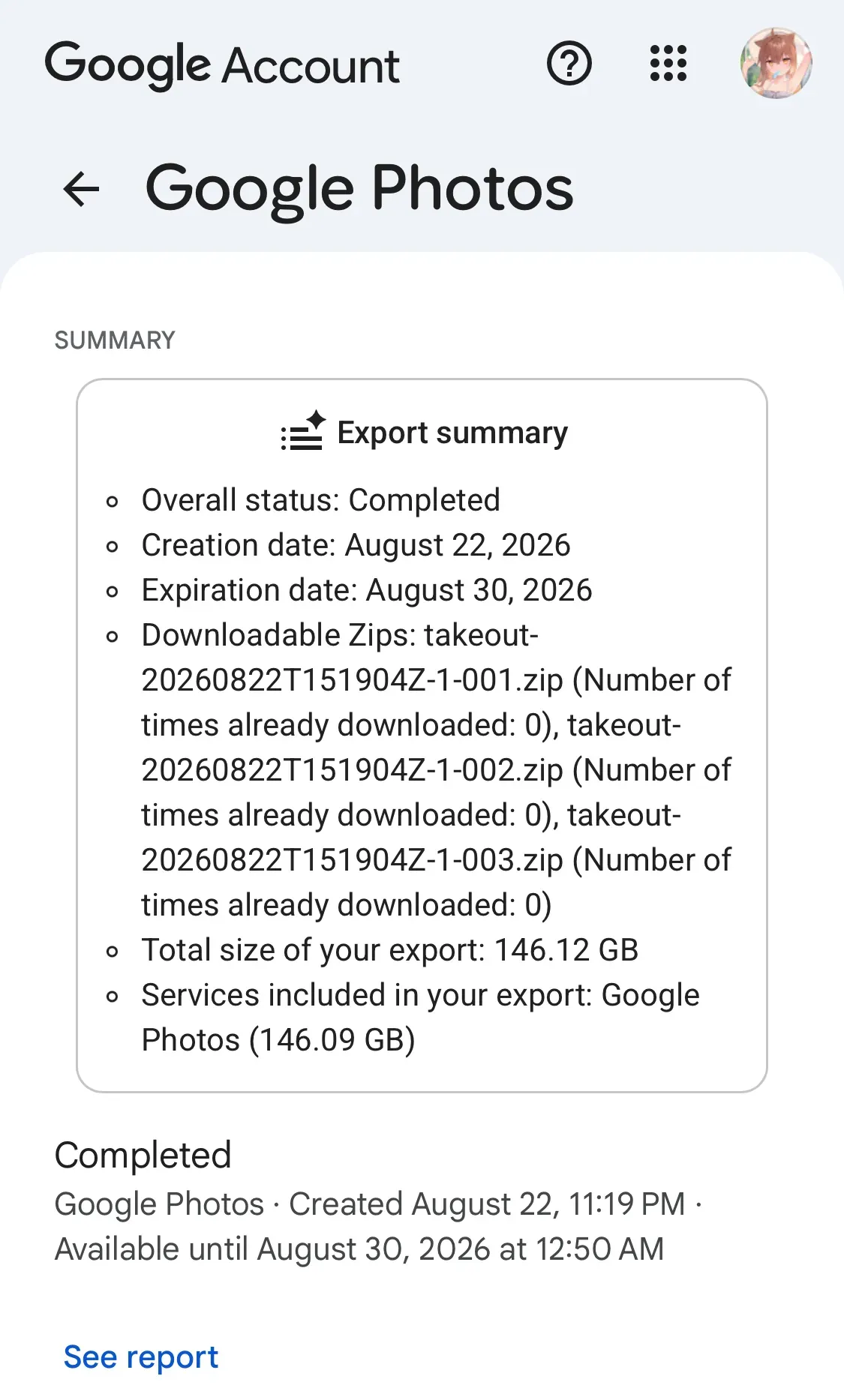
As you can see, the total comes to 146.09 GB. That means the entry-level 50 GB iCloud+ plan definitely wouldn’t be enough. I’d have to go with the 200 GB plan.
Now for the actual migration.
Google and Apple offer a way to transfer photos directly between their platforms. You didn’t seriously think I was going to download 150 GB of photos and then manually upload them all to iCloud, did you? That would be ridiculous.
There’s a bit of a misconception in online tutorials. They often tell you to go to Google Takeout and look for the option to transfer your photos to iCloud. The problem is that there’s no transfer button on the actual Google Takeout interface. All you get is the option to download your data.
So, guess what? The Transfer your data option is actually hidden away in your Google Account dashboard. But when you click it, Google redirects you to a page within Google Takeout that’s not accessible through its regular interface.
Seriously, what were Google’s engineers thinking?
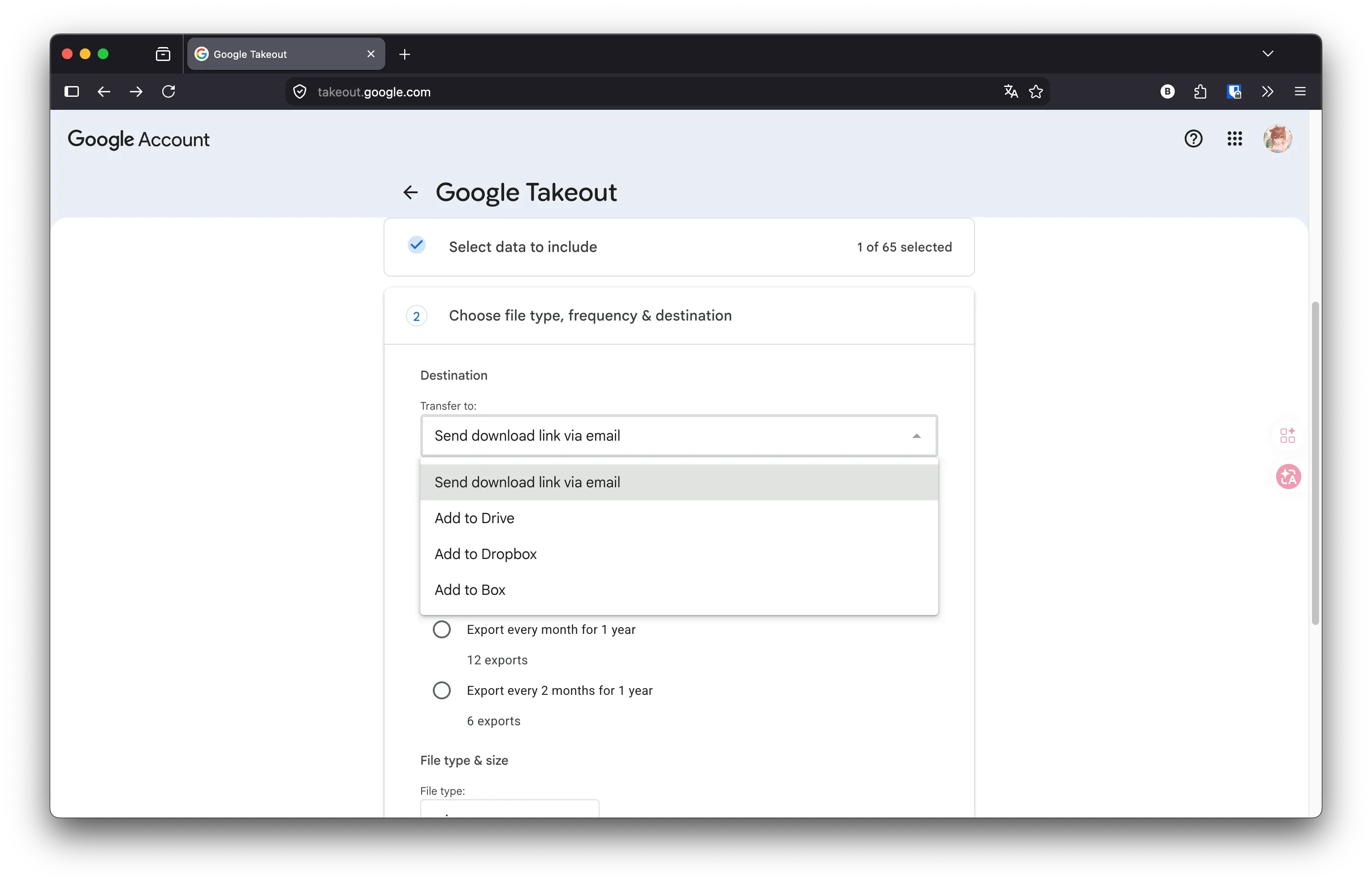
As you can see, there’s no direct transfer option anywhere on this Takeout page. You have to go to your Google Account dashboard and find it there.
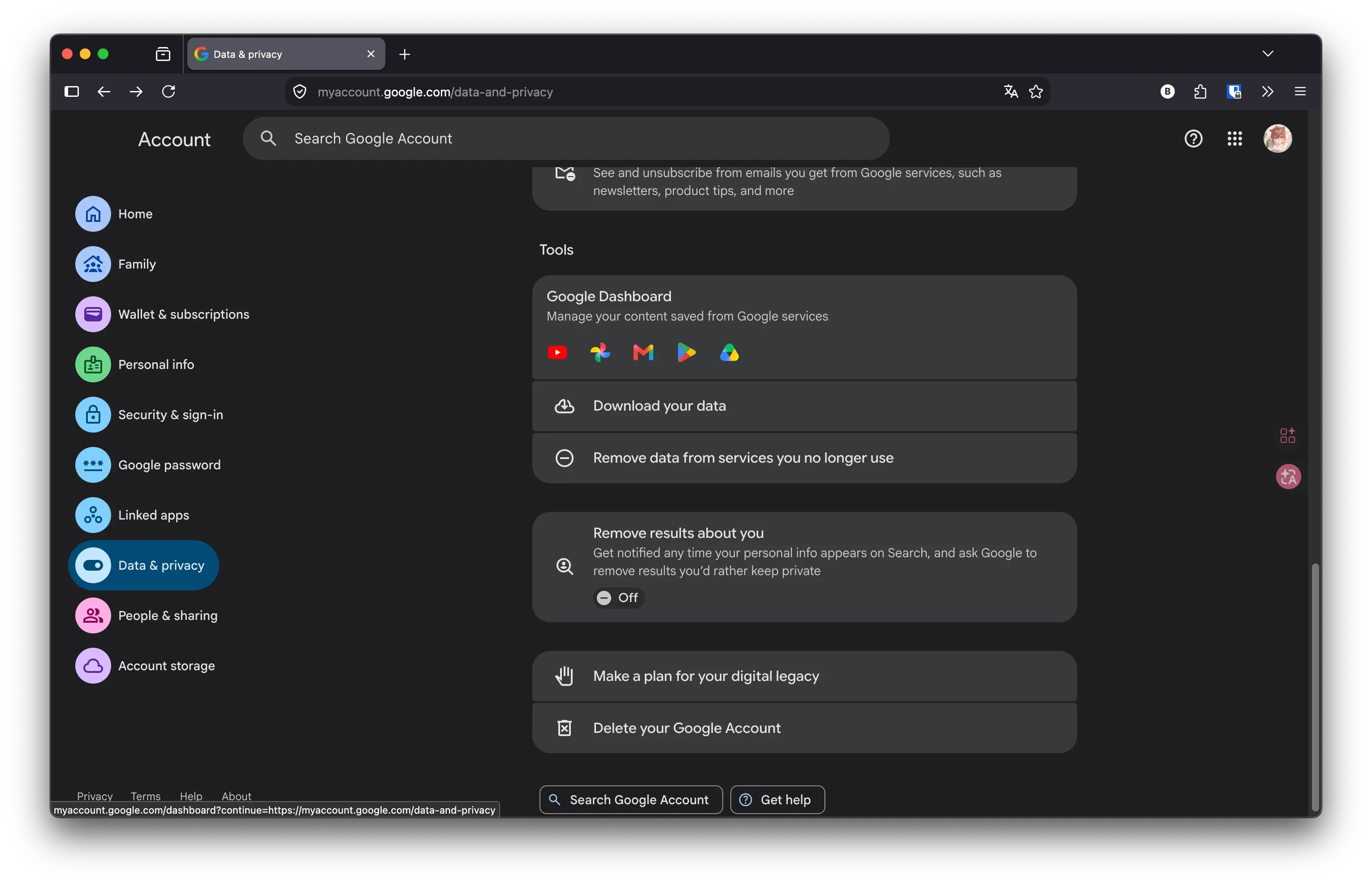
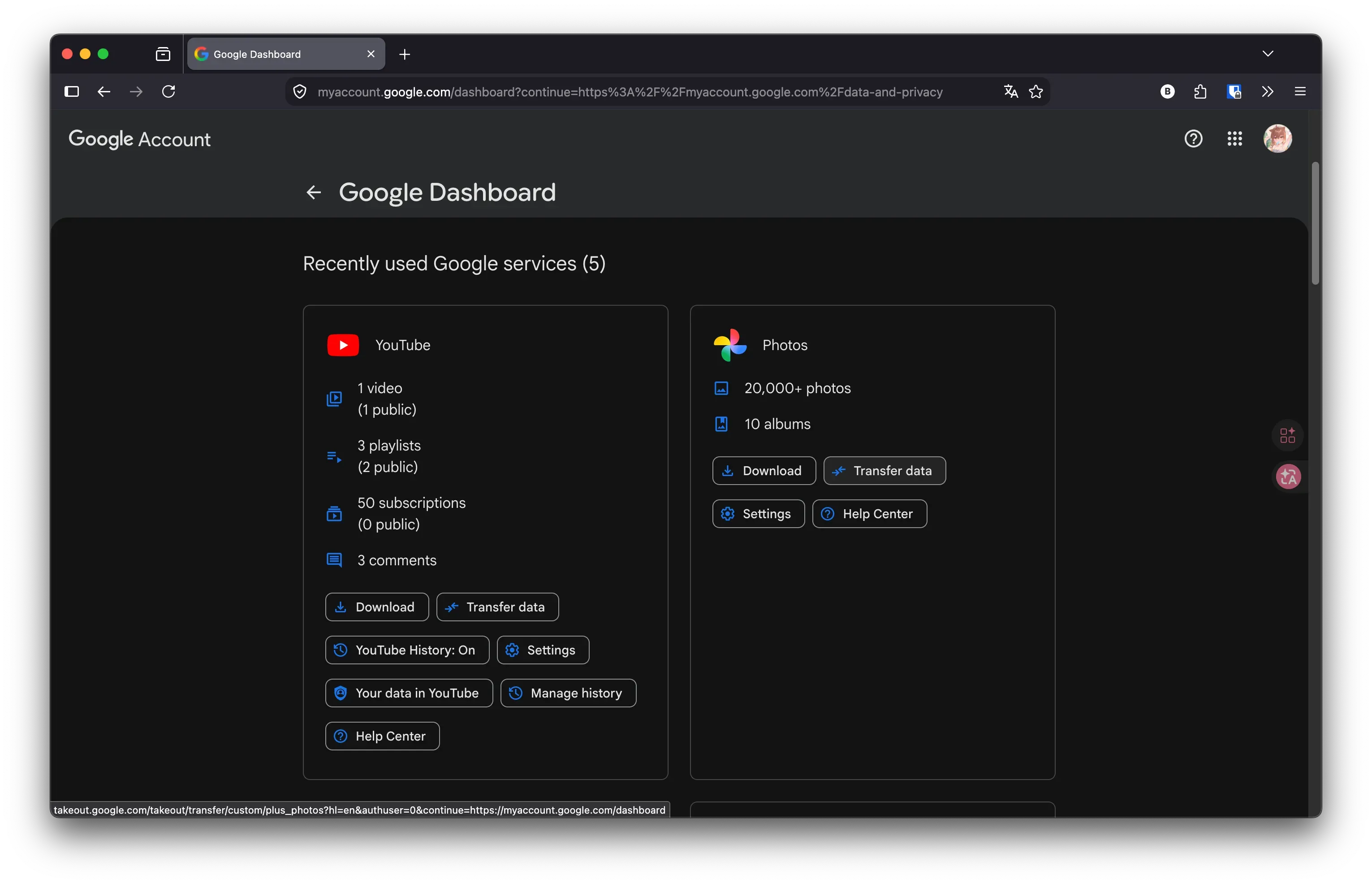
Only after navigating to this page can you actually initiate the transfer. And once you click the option, Google sends you right back to that same hidden page in Takeout.
Why not just put the transfer option directly in Google Takeout in the first place?
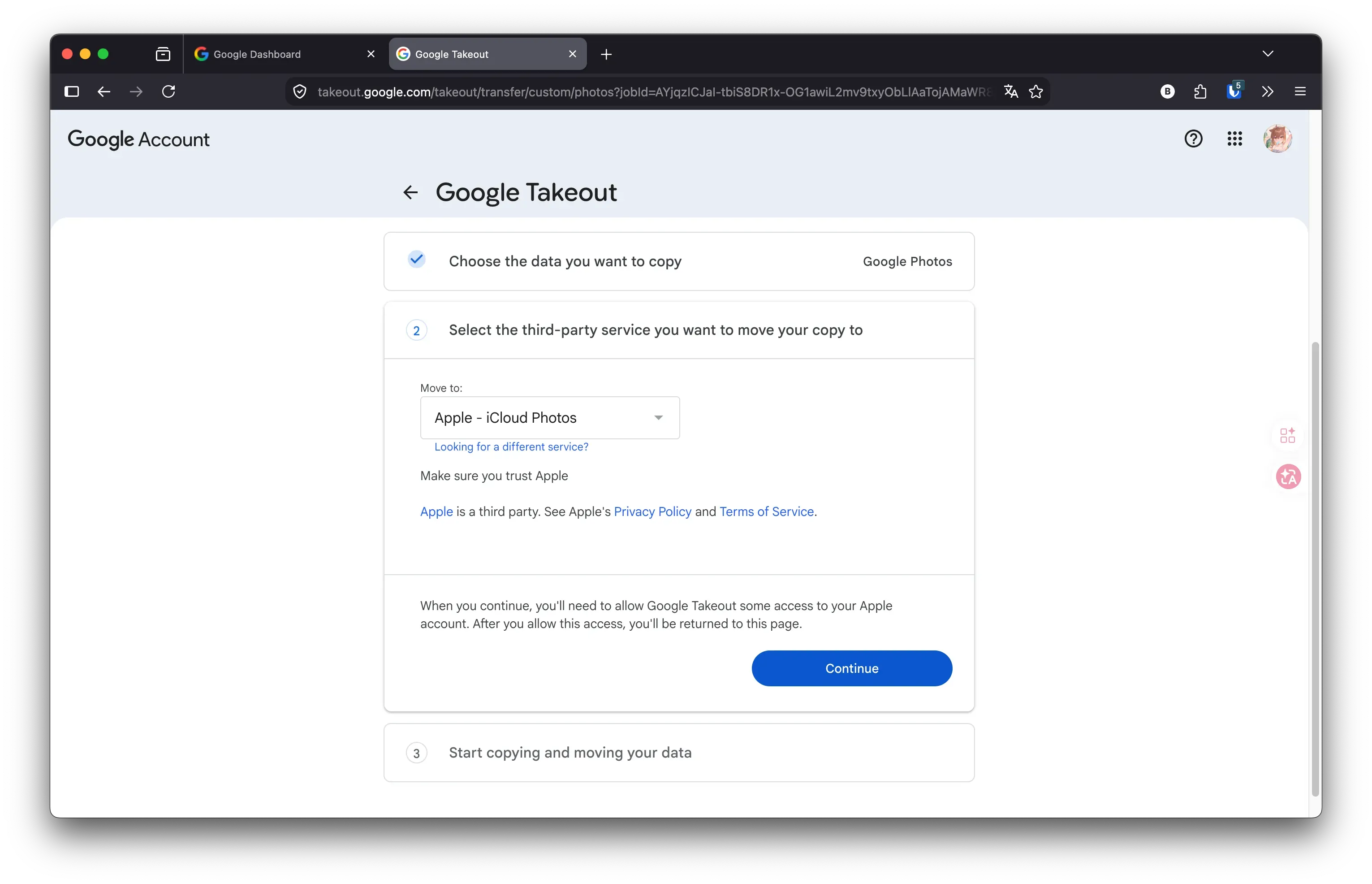
From there, simply select iCloud and authorize the transfer. Then comes the long wait.
From what I observed, a few more photos would show up in iCloud every couple of minutes. Google finished exporting my photos around the second day, but iCloud took considerably longer to process everything.
All in all, the entire migration took about three days.
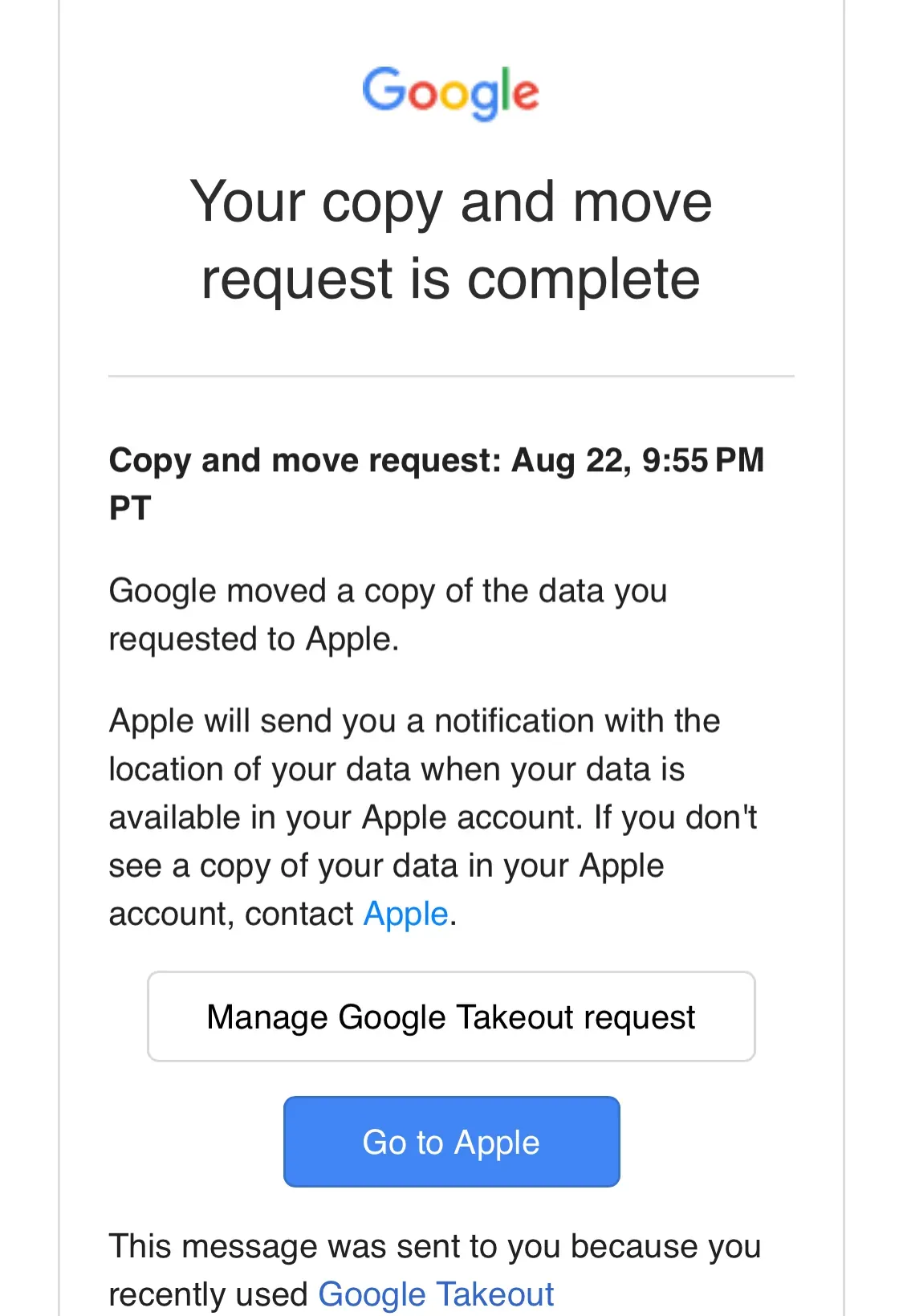
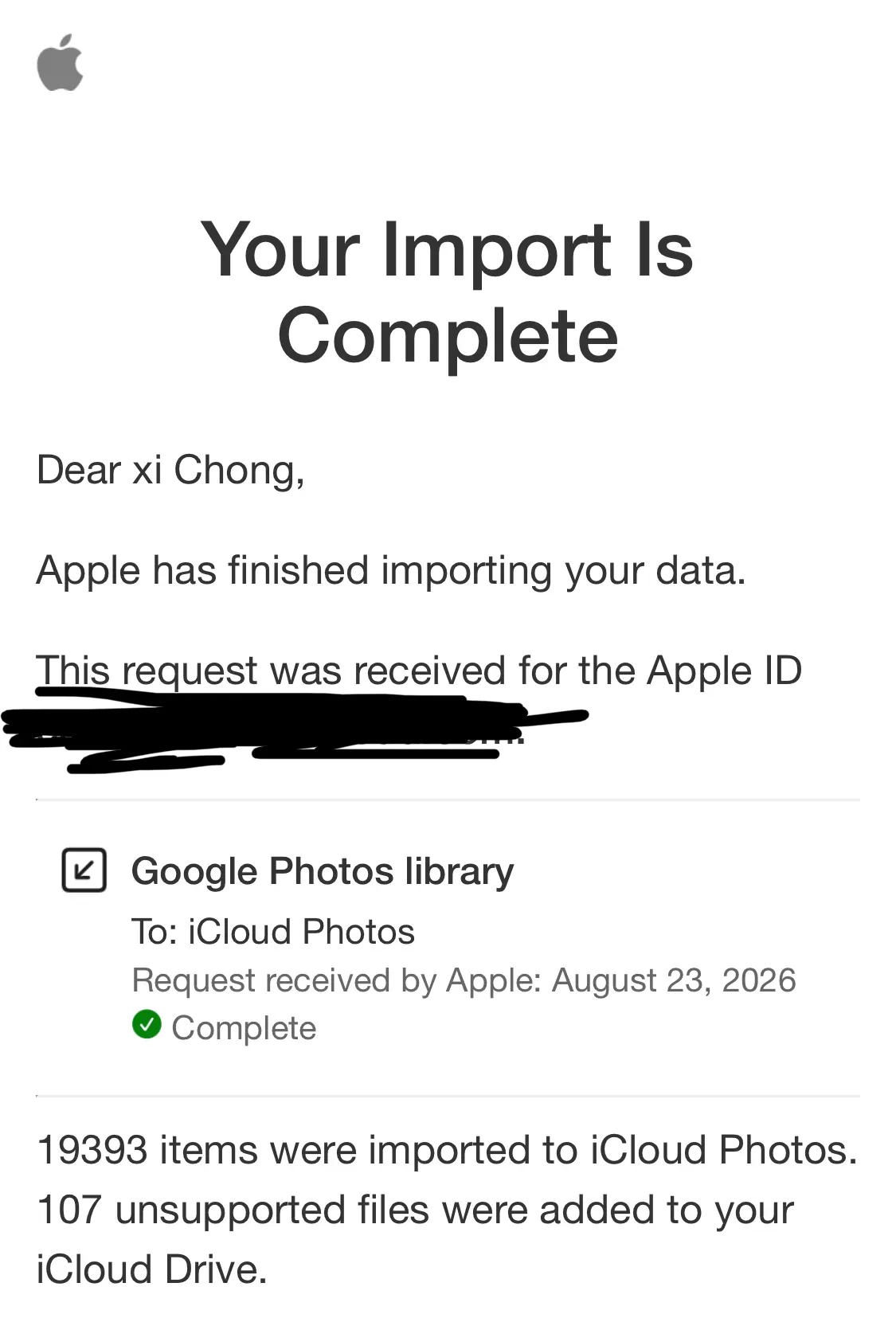
One particularly ridiculous thing I discovered was that iOS doesn’t recognize Motion Photos taken with my old Samsung phone. They were all imported as static images, with the motion component lost in the process.
I also deleted some old, unimportant screenshots along the way. In the end, my photo library went from around 140 GB to just 40 GB.
Turns out people don’t think about solving a problem until there’s pressure — once unlimited space becomes space you have to manage, you naturally start cleaning up.
Now I’ve got over 100 GB of free space left in iCloud. It would be a shame to let all that space go to waste, so I’ve decided to share an iCloud+ family plan with some friends instead.
