
0. Intro
Recently, Gboard quietly pushed an update: Autofill that ignores every condition The behaviour of this feature is similar to the clipboard: you can tap the fill button straight from the keyboard suggestion bar and force a password or another field into the current input box
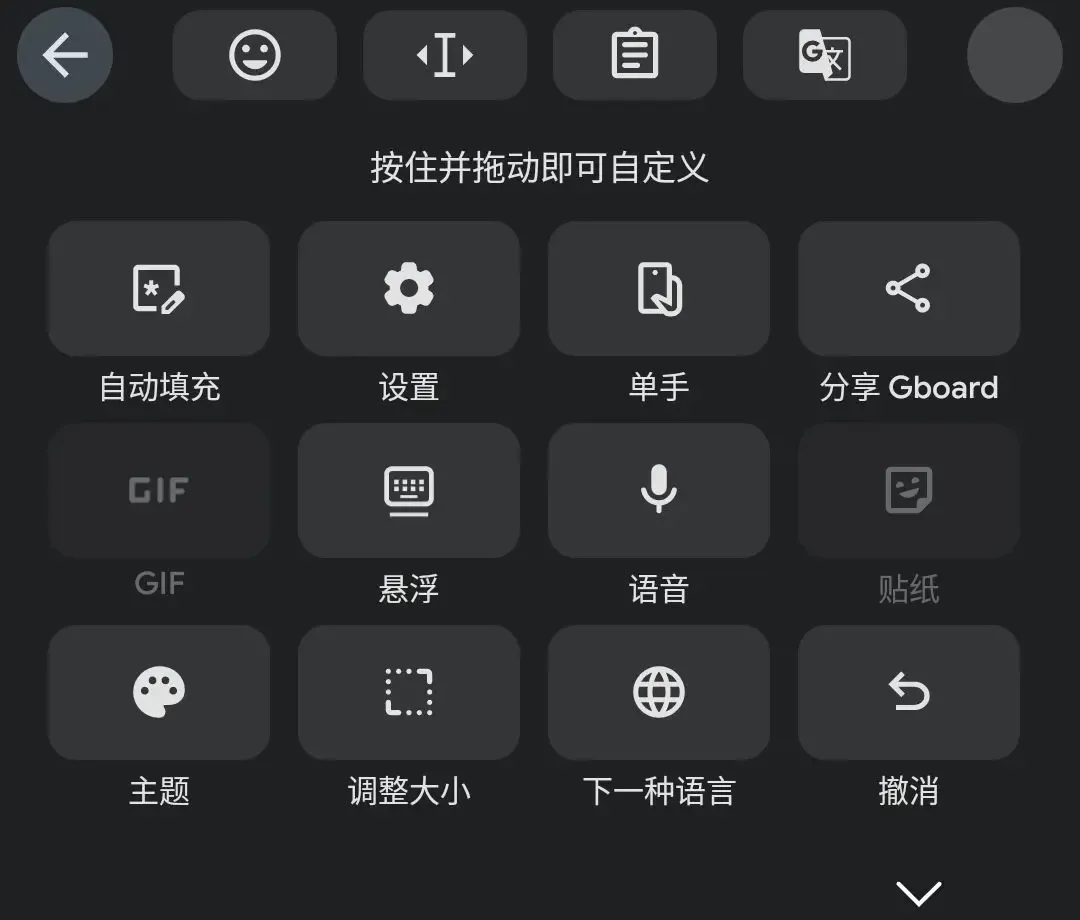
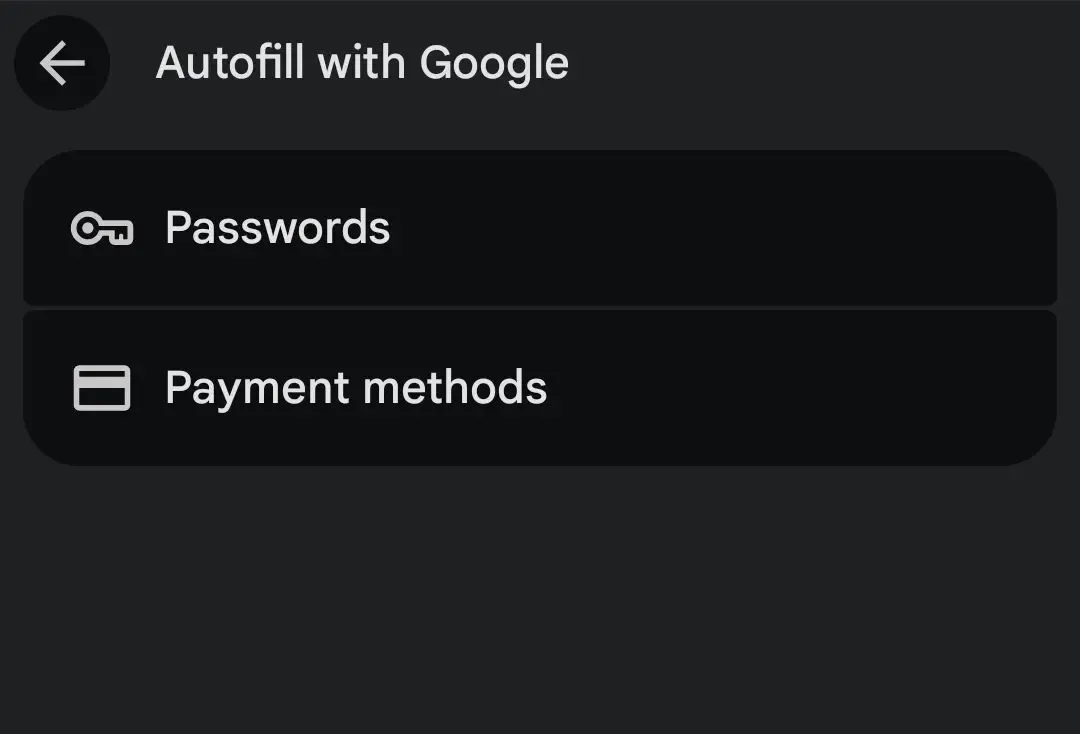
Before this, non-Chromium browsers (such as Firefox Android) could not properly invoke Google Autofill. Even when long-pressing an input box, when a web page requested a password field it was often impossible to bring up the password manager directly from the system menu. This meant many users who deeply relied on Google Passwords were forced to stay on Chrome, or to switch to third-party managers such as Bitwarden — a deeply disjointed experience
After this update, Google Autofill finally works perfectly on Firefox Android. Chongxi can finally escape Chrome Android, that feature-bare browser
This article mainly shares the configuration experience and extension recommendations I’ve gathered since migrating to Firefox Android
0.1 Why Firefox?
Firefox is one of the few non-Chromium browsers on Android today. In an age when Chrome is gradually monopolising web standards, using the Gecko-based Firefox isn’t only about supporting the Other World — it also genuinely provides fairly good features, such as strong privacy protection and extension support
1. Firefox Basic Configuration
Below are configuration examples; see the Notes that follow for specific explanations
1.1 General Settings
- Passwords: it’s recommended to set Firefox’s built-in password saving to OFF (if you’re going to use Google Autofill)
- Payment methods: likewise, OFF is recommended; let a third party take over
Remember to point the autofill service in Android system settings to the app you need
1.2 Privacy and Security
- HTTPS-ONLY: strongly recommended; choose
Enable in all tabs - DNS over HTTPS (DoH): recommended, unless you use DoH elsewhere
- Enhanced Tracking Protection: choose Custom, and check the following settings:
- Cookies: Isolate cross-site cookies
- Tracking content: All tabs
- Cryptominers
- Known fingerprinters
- Redirect trackers
- Suspected fingerprinters: All tabs
- Tell websites not to share and sell my data
NOTEConfiguration explained
HTTPS-ONLY mode
HTTP is plaintext transmission; account passwords and email contents are left naked It’s 2025, and a website that still doesn’t support HTTPS is itself of dubious security Once forced on, the browser will warn you when a website doesn’t support HTTPS, preventing silent downgrade hijacking
DNS over HTTPS (DoH)
Traditional DNS queries are in plaintext, so your ISP or an attacker can easily see that you’re visiting
chongxi.usDoH encapsulates DNS queries in HTTPS traffic, preventing DNS poisoning and hijacking (such as an ISP injecting ads or redirecting you to phishing sites) If you’ve already configured私人DNSin Android system settings, you can turn this off to avoid the latency of double resolutionIsolate cross-site cookies
Firefox’s signature ability. It locks each website’s cookies in a separate sandbox For example,
facebook.com, and cannot track you through third-party cookies when you visitx.com. This greatly reduces cross-site ad tracking without affecting your login state on any single websiteFingerprinting and tracker blocking
Fingerprint tracking: generates a unique ID from your screen resolution, battery level, font list and so on, and clearing cookies cannot remove it Redirect tracking: blocks the middlemen that record you when links redirect; Firefox will try to visit the destination directly Miner blocking: kills those malicious JS scripts that use your phone to mine crypto
2. Must-Have Extensions and Configuration Guide
One of the essences of Firefox Android; here are some quality extensions
2.1 uBlock Origin
The most efficient ad and content blocker on Android.
- Unlike commercial software such as Adblock Plus, uBO is open source, free, and uses very little memory
NOTEsetup
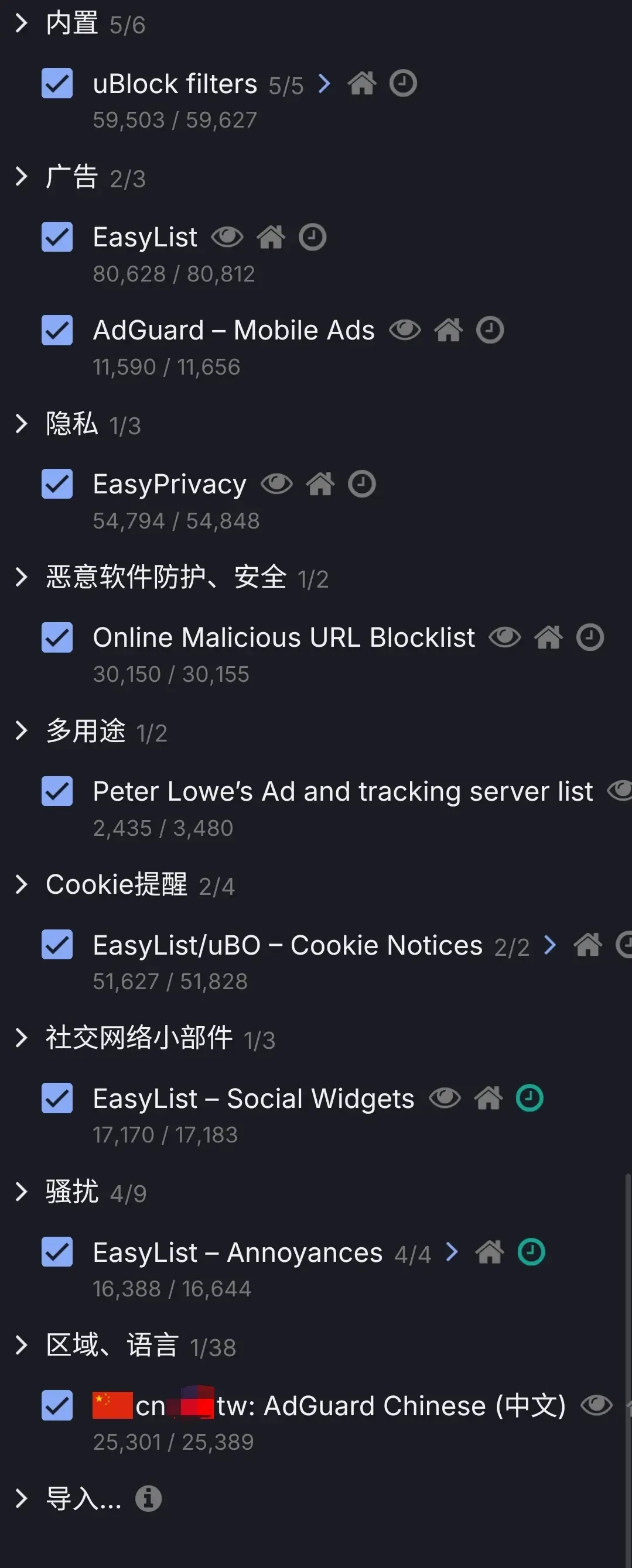
设置-> enable防止 WebRTC 泄露本地 IP 地址&我是高级用户规则列表-> (configure as shown below). If you need to browse in other languages, you can enable the corresponding language rules under区域
- If some websites stop working, you can add them to the whitelist
2.2 LocalCDN
A decentralised resource-loading extension
- Modern web pages reference public libraries from Google, Cloudflare and others in large numbers. This means that even if you never visit Google, Google can still learn your IP from those requests
- LocalCDN intercepts these requests and replaces them with locally bundled files directly, cutting off cross-site tracking and saving bandwidth while speeding things up
NOTEsetup
Under
基础, just enable禁用链接预读取&清除被允许的请求中的元数据
2.3 Clear URLs
When you copy a link from bilibili and send it to a friend, the link is often terrifyingly long (for example, with ?utm_source=...)
- This extension strips marketing parameters out of URLs
- Install and use; no extra configuration needed. It quietly cuts the little tracking tails off links in the background, giving you back a clean address
2.4 Random User-Agent
Mainly used to counter browser fingerprinting and the discrimination of certain domestic websites
- By forging the User-Agent, it makes websites think you’re Chrome, or prevents them from singling you out by UA characteristics.
NOTEsetup
- Choose the browser to impersonate, such as Chrome
- Check
将当前操作系统与生成的用户代理同步- Impersonating Desktop Windows is not recommended; the page will switch to the desktop version, which is a terrible experience to operate on a phone
2.5 Immersive Translate
Currently the best dual-language, side-by-side web page translation tool
Nothing much to configure; it works out of the box
3. Conclusion
Although Firefox’s JS benchmarks on Android occasionally aren’t as aggressive as the V8 engine, for the sake of a measure of data sovereignty and a high degree of tinkerability, this tiny performance cost is entirely worth it. How crude Chrome is is there for all to see
