NoneBot Plugin: Maimai Monitor
A plugin designed for the NoneBot2 framework, used to report maimai server status through chat commands
Features
- Status reporting: report server status with a simple chat command (e.g.
/report 断网) - Data aggregation: automatically caches user reports and sends them in a batch to the backend API every 30 seconds
- Custom command aliases: lets users define short command aliases in the config that map to complex report commands
- Direct page scraping and rendering
Installation
You can install it with NoneBot’s scaffolding tool nb-cli:
nb plugin install nonebot-plugin-maimaimonitorOr install it via pip:
pip install nonebot-plugin-maimaimonitorConfiguration
The plugin’s settings are managed through NoneBot’s unified configuration. You need to set them in the .env file at the root of your NoneBot project
Getting credentials
To send data to the backend API you need a ClientID and a PRIVATE_KEY. Please contact emailClientID is supplied by you; a numeric value is recommended
Keep your PRIVATE_KEY safe and never disclose it to anyone.
Environment variables
| Environment variable | Type | Default value | Description |
|---|---|---|---|
MAIMAI_BOT_CLIENT_ID | str | None | ClientID (required) |
MAIMAI_BOT_PRIVATE_KEY | str | None | Private key (required) |
MAIMAI_BOT_DISPLAY_NAME | str | qwq | Your bot’s name |
MAIMAI_WORKER_URL | str | https://maiapi.chongxi.us | Backend API address for reporting data |
COMMAND_ALIASES | Dict[str, str] | {} | Custom command aliases, used to map short commands to report commands |
Example .env config file
# .env 文件 (位于你的 NoneBot 项目根目录)
# --- NoneBot Plugin Maimai Monitor 插件核心配置 ---MAIMAI_BOT_CLIENT_ID="YOUR_BOT_CLIENT_ID"MAIMAI_BOT_PRIVATE_KEY="YOUR_BOT_PRIVATE_KEY"MAIMAI_BOT_DISPLAY_NAME="qwqbot"MAIMAI_WORKER_URL="https://maiapi.chongxi.us"
# --- 自定义命令别名配置 (使用单行 JSON 字符串) ---# 左边是用户输入的新命令,右边是它映射的内部报告指令参数字符串。# 右边的字符串会被插件解析,并作为 /report 命令的参数部分。COMMAND_ALIASES="{ \ \"ctk\": \"被发票\", \ \"清票\": \"被发票\", \ \"服务器炸了\": \"断网\", \ \"打不开公众号\": \"NET打不开\", \ \"变游客了\": \"无法登录\", \ \"黑屋了\": \"小黑屋\", \ \"被发舞神了\": \"其他扫号行为\", \ \"罚站300秒\": \"罚站 300\", \ \"罚站一小时\": \"罚站 3600\", \ \"帮助\": \"help\" \}"Usage
Load the plugin in your NoneBot project’s bot.py file:
import nonebot
# ... 其他初始化代码 ...
nonebot.load_plugin("nonebot_plugin_maimaimonitor")
# ... nonebot.run() ...Once the plugin loads successfully, you can send the following commands anywhere you can chat with the bot:
/report helpor/上报 帮助: view all available report types and help information- Using custom command aliases: for example, if you configured
"ctk": "被发票"inCOMMAND_ALIASES, then sendingctkdirectly triggers the functionality of/report 被发票
Some command examples:
/report 断网or a configured alias (e.g.炸了): report one cabinet network disconnection event/report 罚站 [秒数]or a configured alias (e.g.罚站五分钟): report how long a player has been stuck at the penalty wait; for example/report 罚站 300means 5 minutes of penalty wait
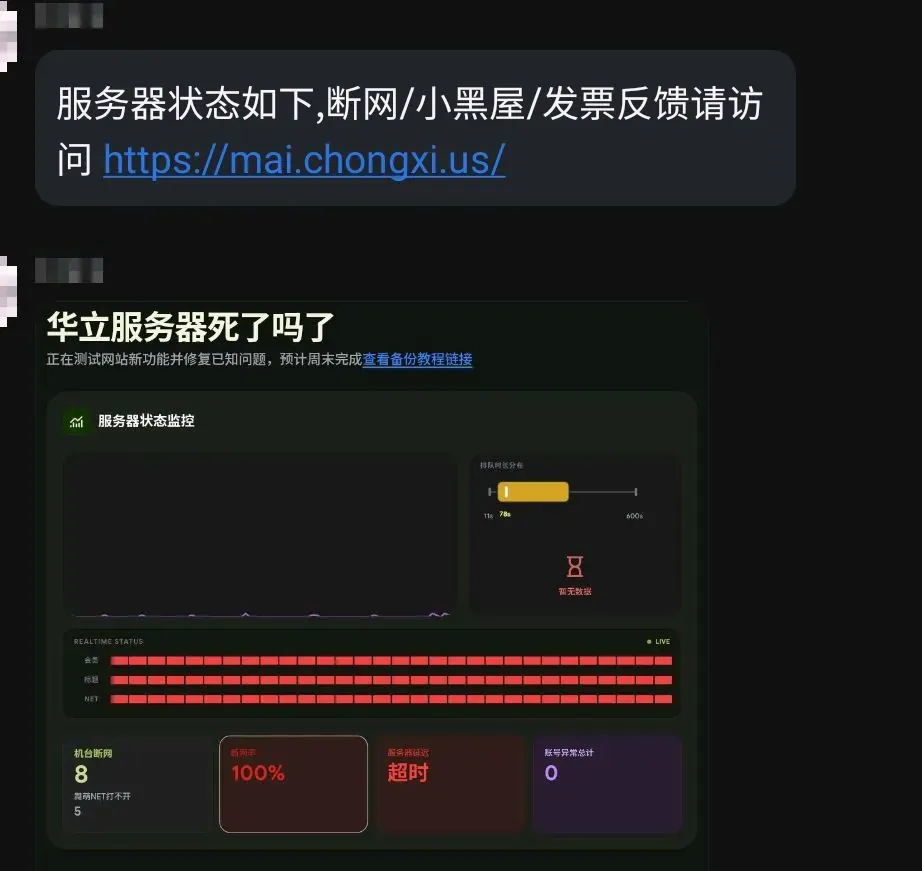
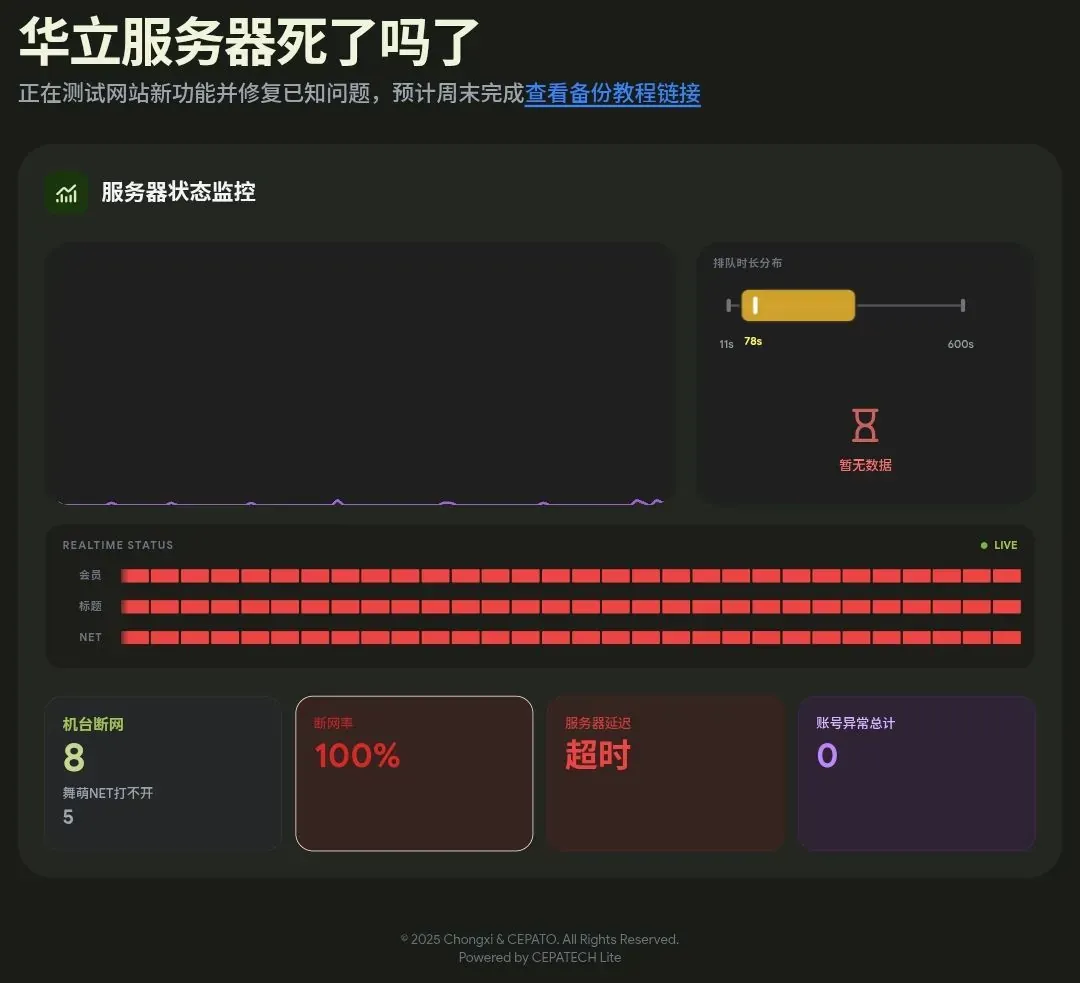
Active Dashboard rendering
In the future it will support rendering the frontend directly as SVG and converting it into an image; for now you still need to screenshot https://mai.chongxi.us/?share=true&dark=auto
share is a page specially optimized for bots, dark switches dark mode, and auto switches automatically based on the time.