
0. Introduction
Because the maimai DX 1.53 update changed a large number of API checks, many existing sync implementations stopped working, and handing your QR code to someone else to sync isn’t exactly safe either — hence this article
Related posts:
- A Quick Look at the maimai CN 1.53 Patch Update
- How to Back Up maimai DX Scores with the Shuiyu and LXNS Trackers
- bakapiano Score Tracker Guide
Contents
1. Shuiyu Score Tracker
The Shuiyu tracker is a bit more troublesome than LXNS (if you’re not providing a QR code)
Prerequisite: a Shuiyu account
Shuiyu Score Tracker official site
1.1 Proxy sync on Windows/MacOS
Refer to Shuiyu’s official doc: Importing into proxy software
1.2 Proxy sync on iOS/iPad
- Make sure the Shadowrocket App is installed
WARNINGThis app requires a non-mainland Apple ID to buy/download. I recommend logging into the AppStore with a shared account (not iCloud!!! otherwise your device will be locked!!!) and downloading it. Here’s an account sharing site,
This site is not owned by CEPATO & Chongxi; we are not responsible for its content. You can also provide other shared accounts in the comment section at the bottom
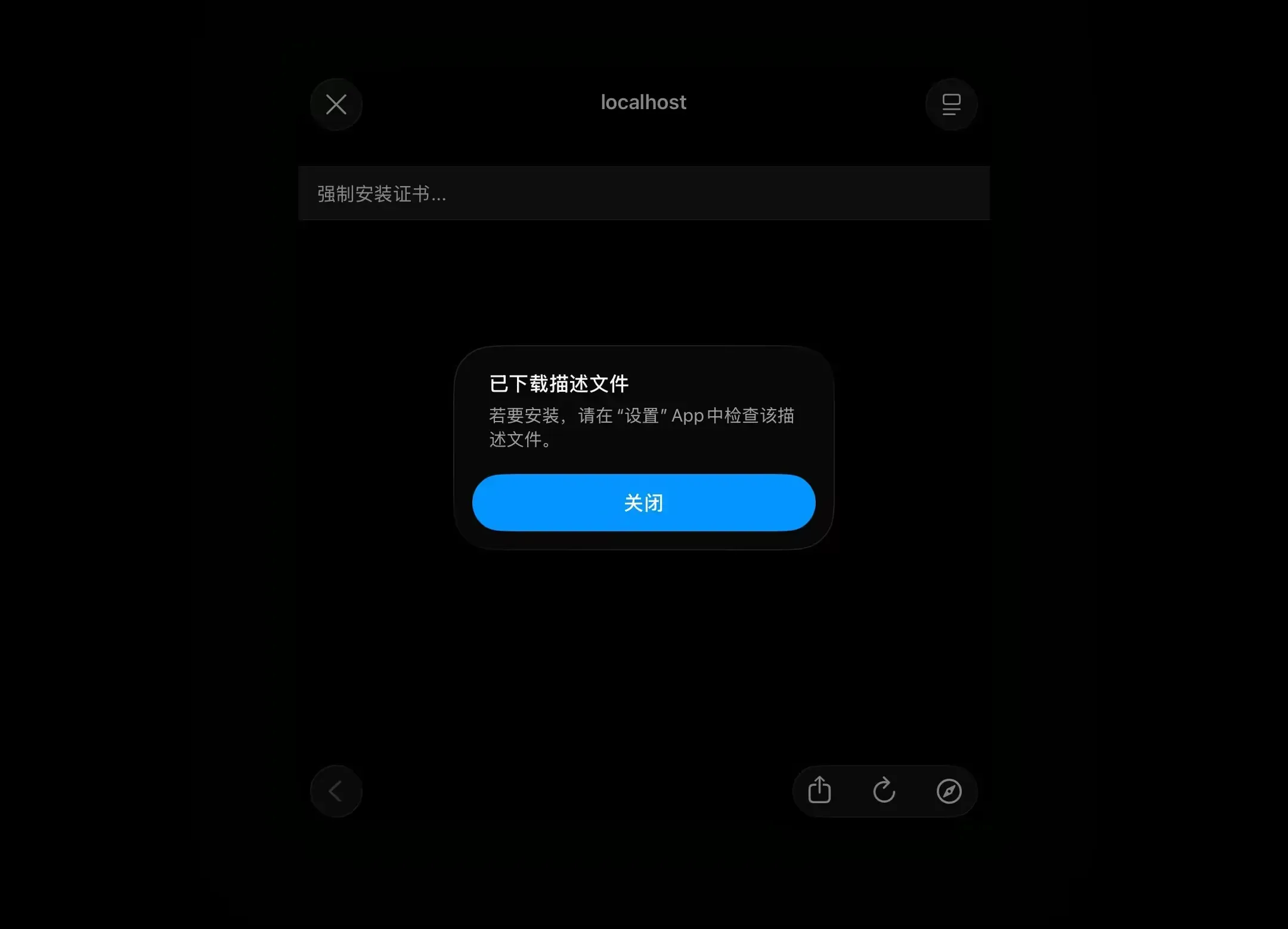
- Open Shadowrocket, select
配置, and install the certificate by following the steps in the screenshots below
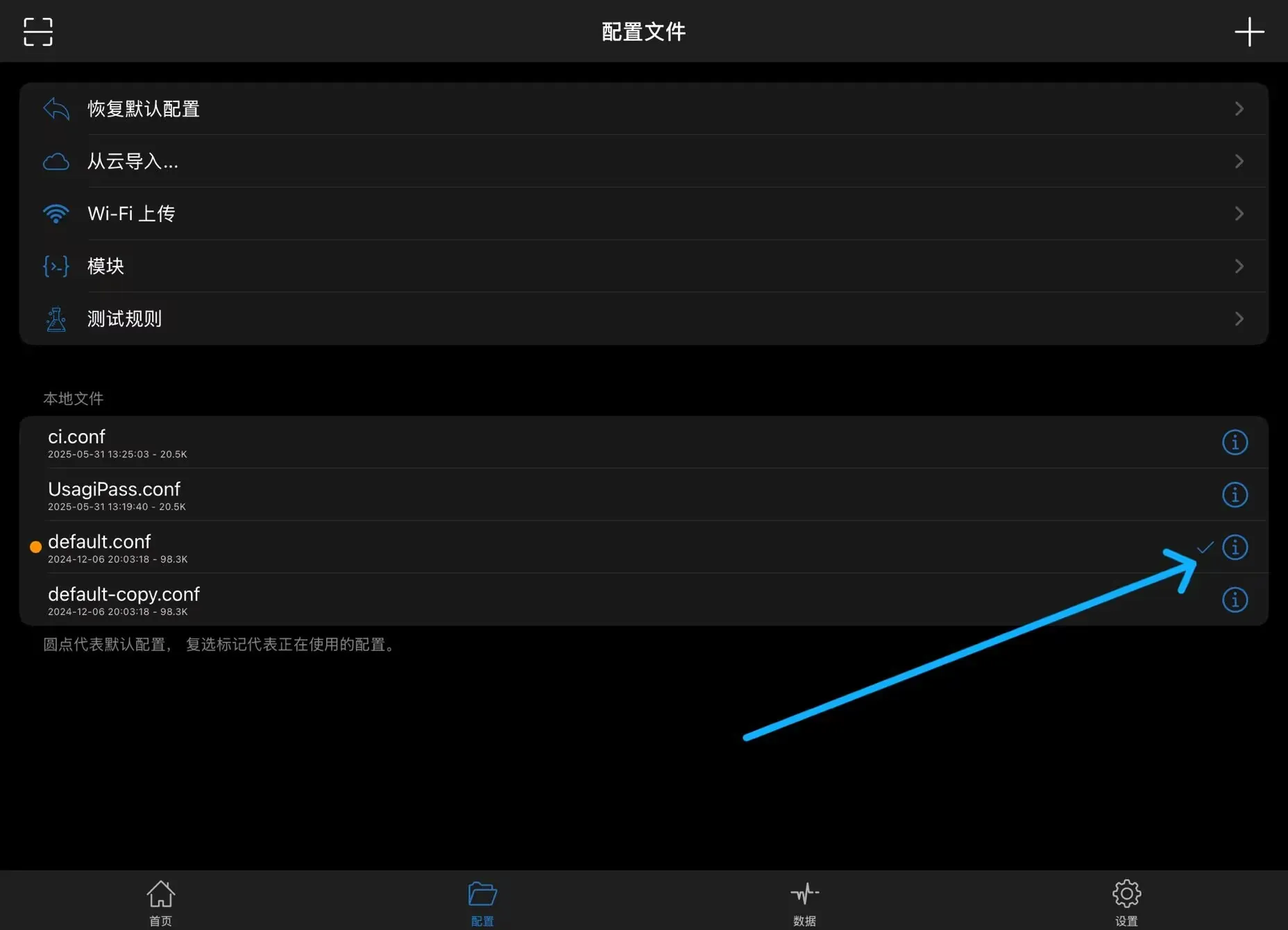
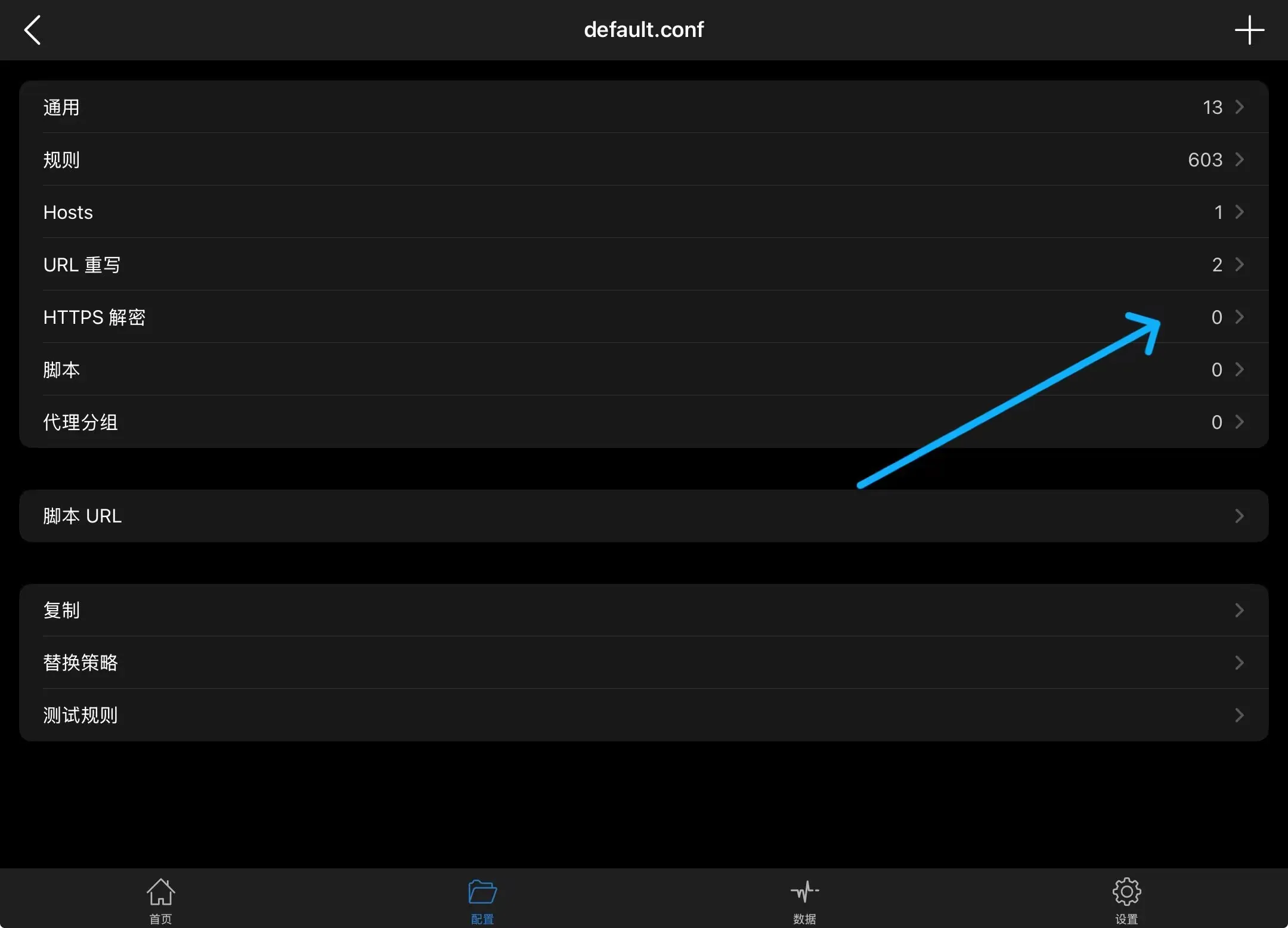
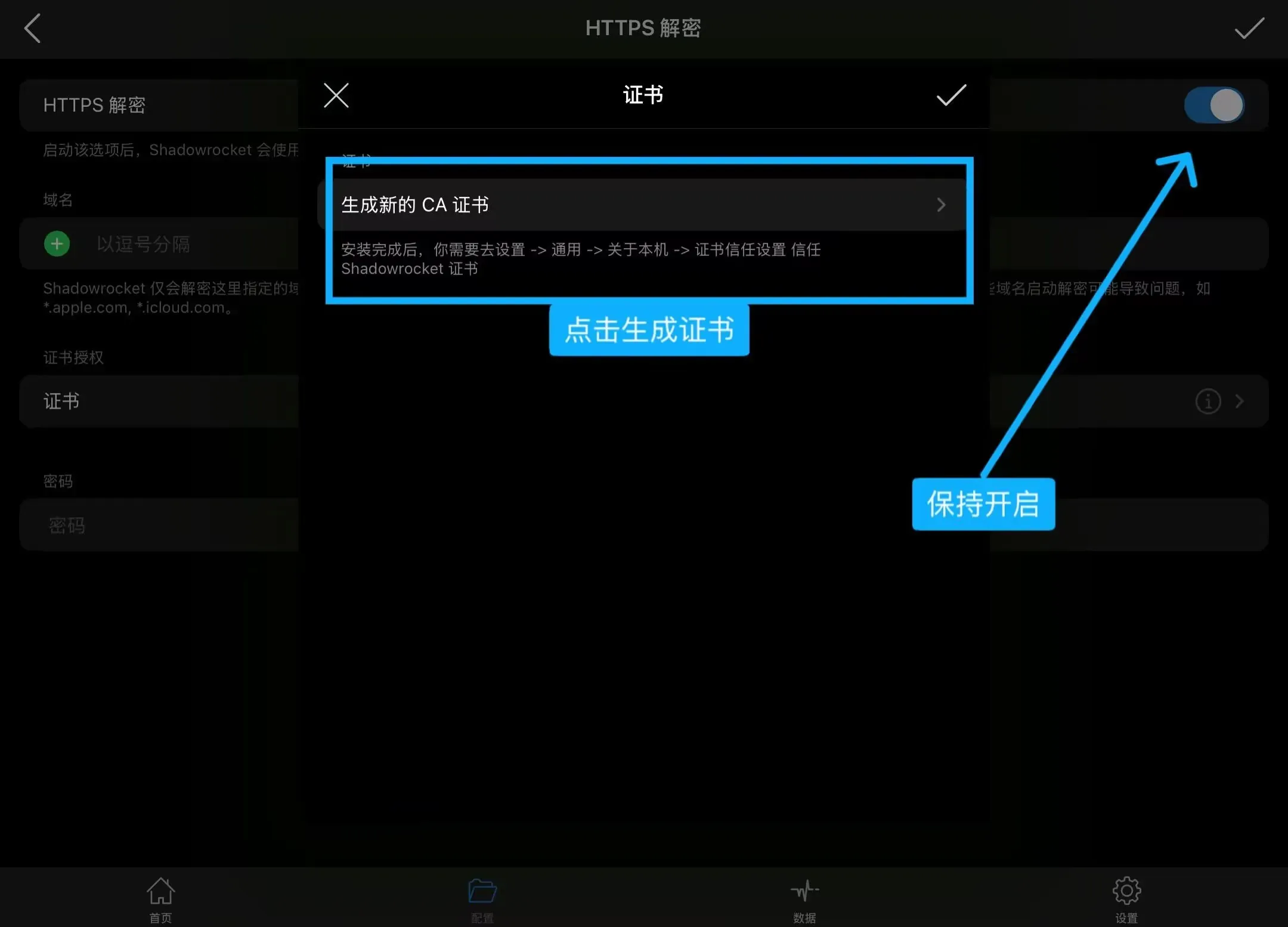
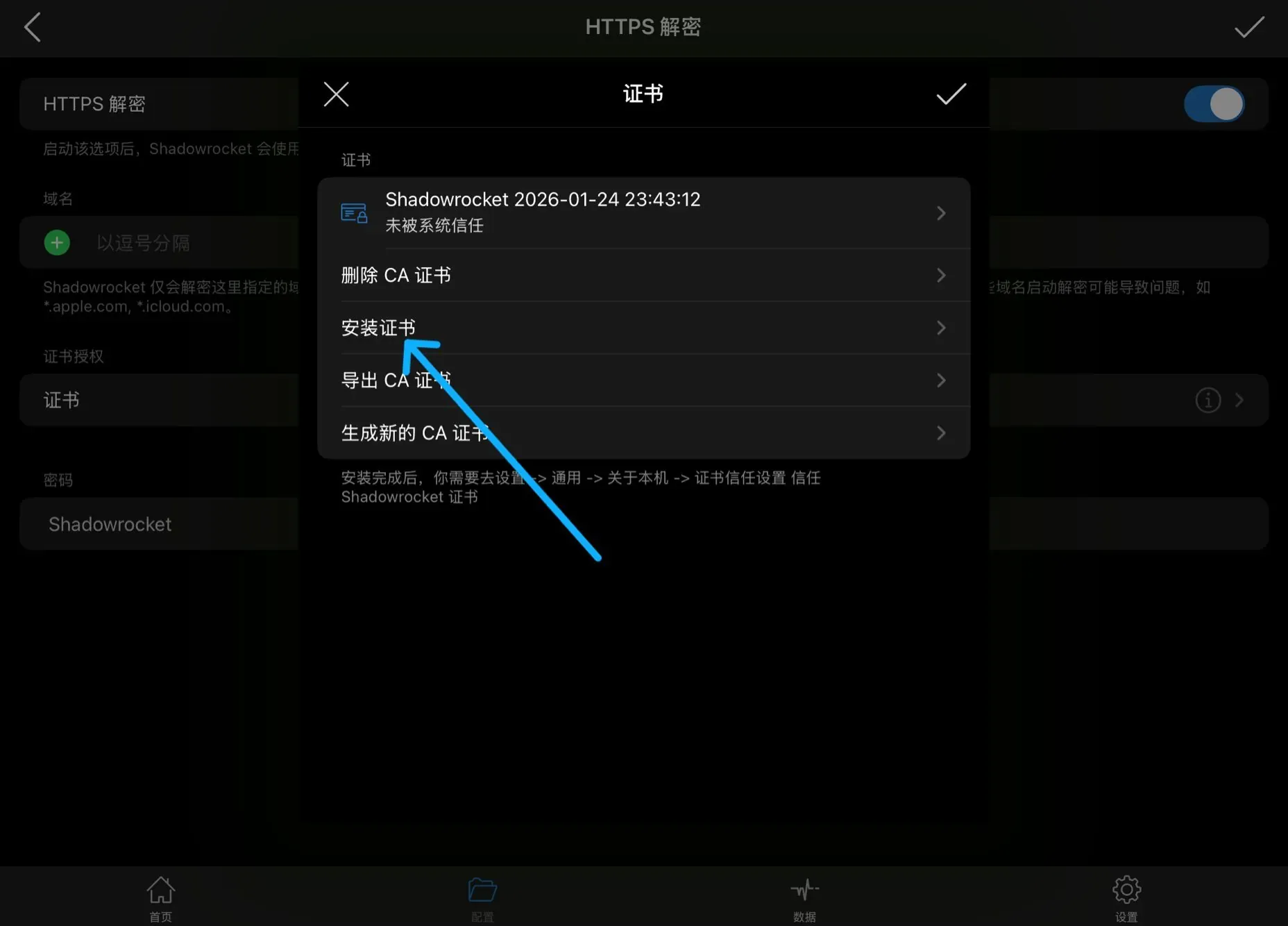
- Open Settings and follow the steps to trust the certificate
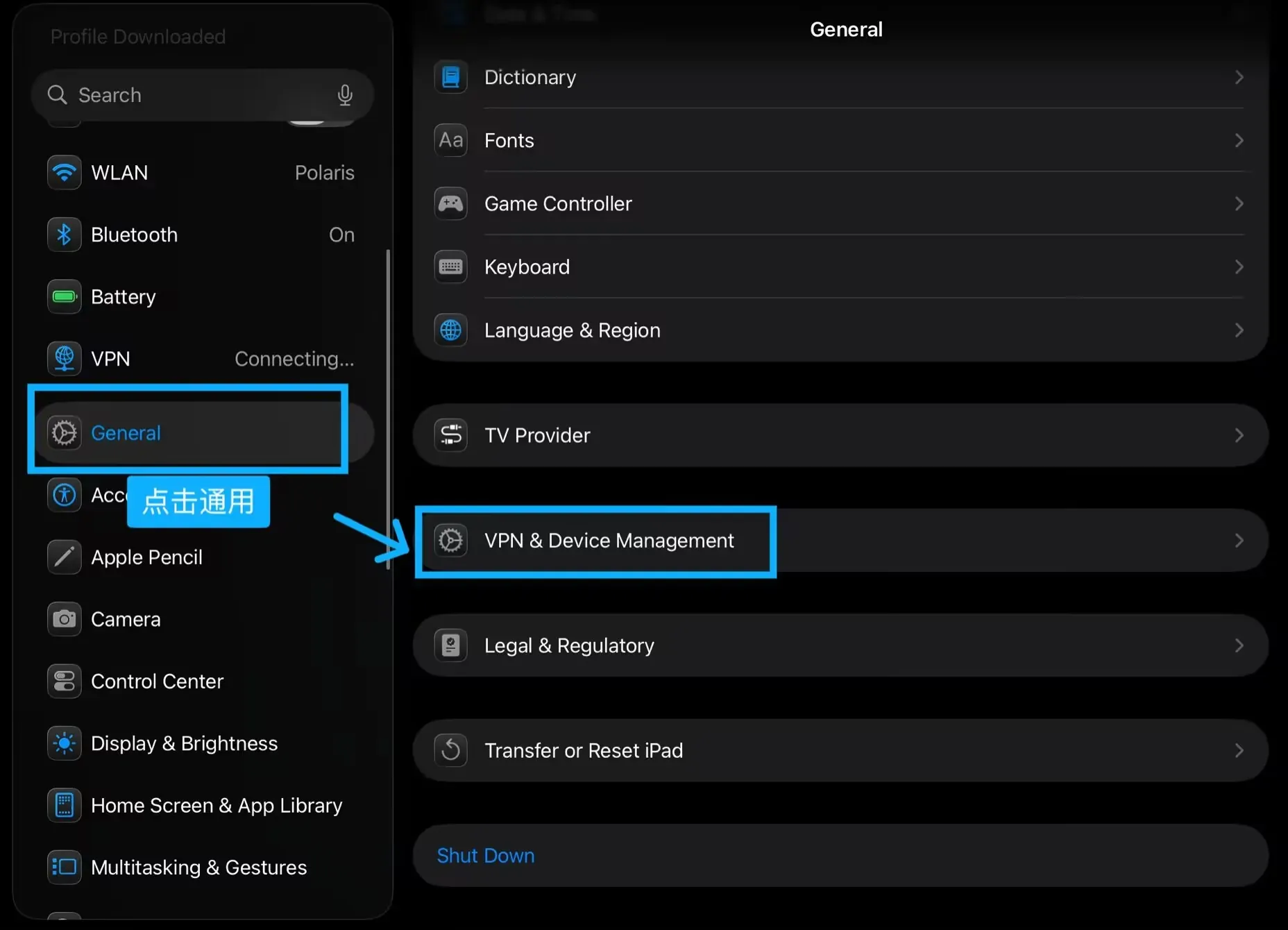
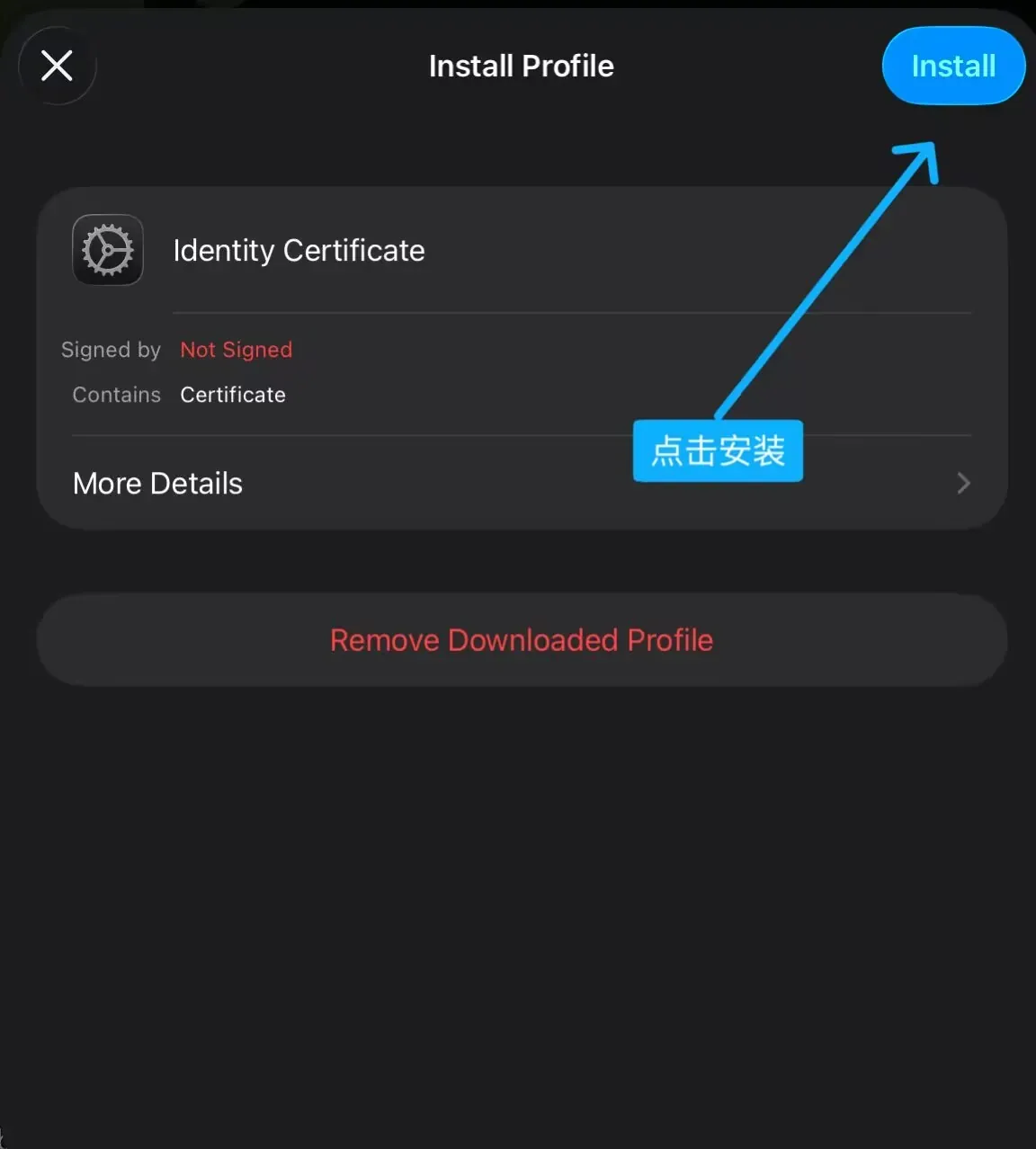
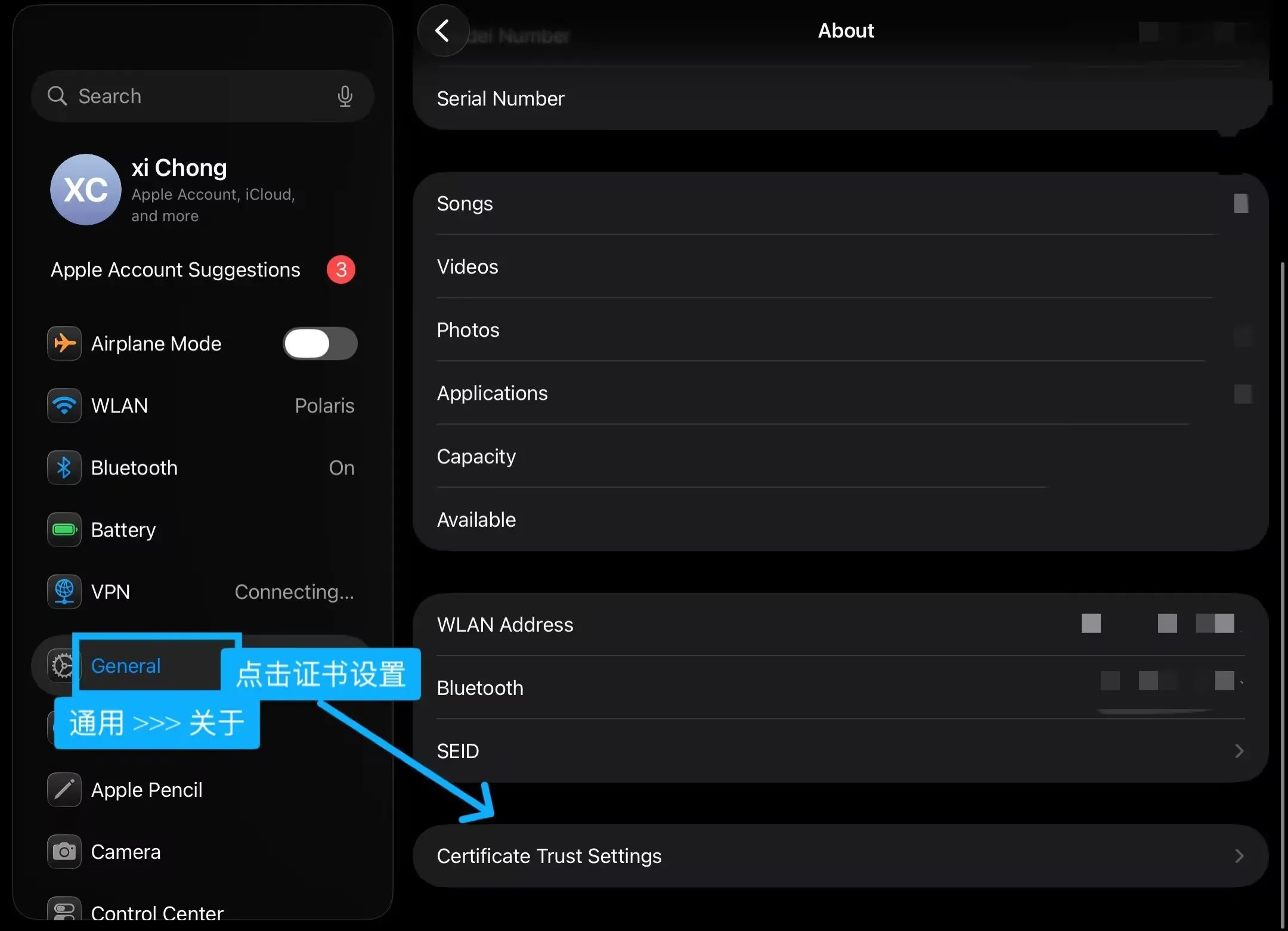
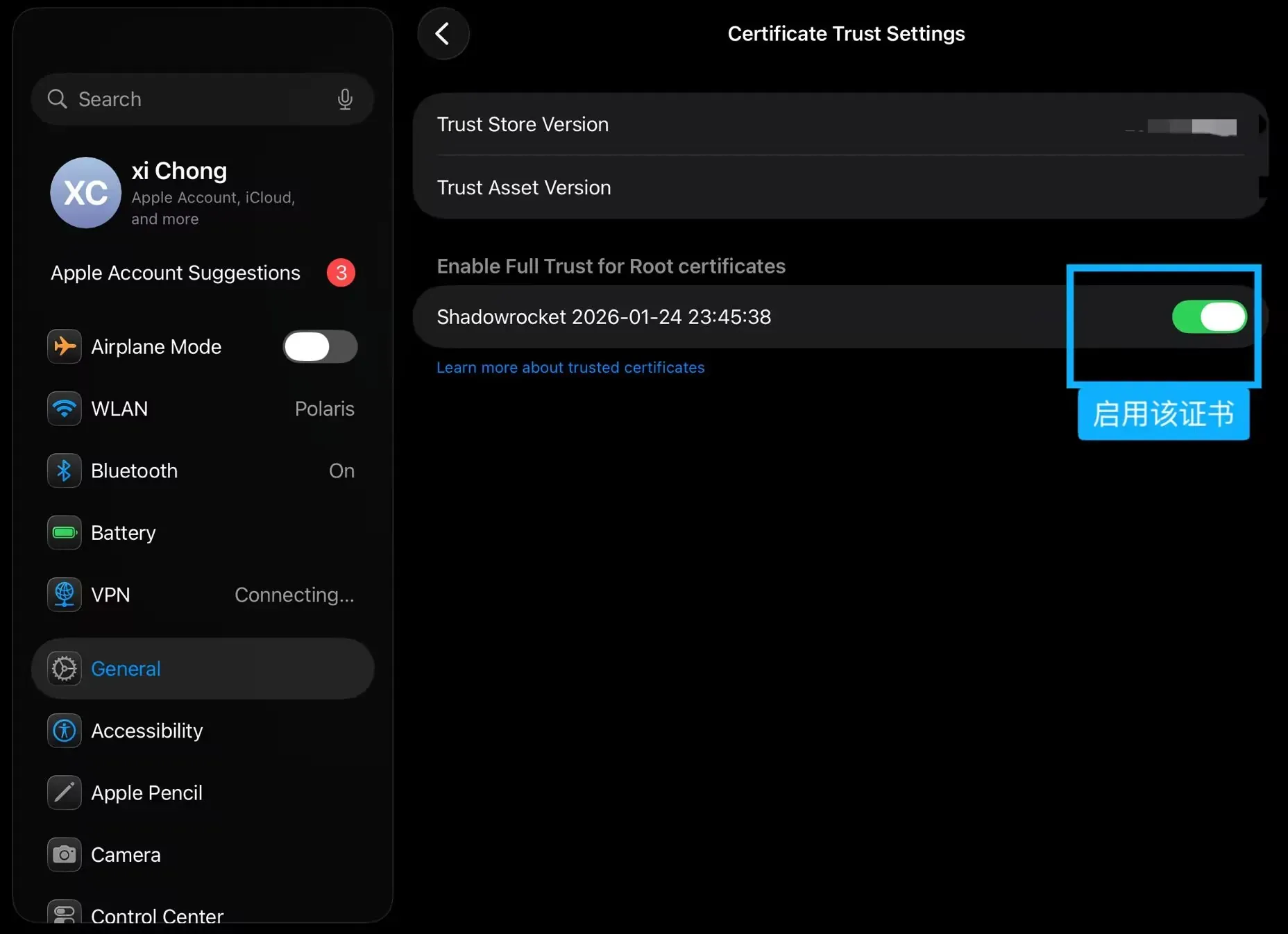
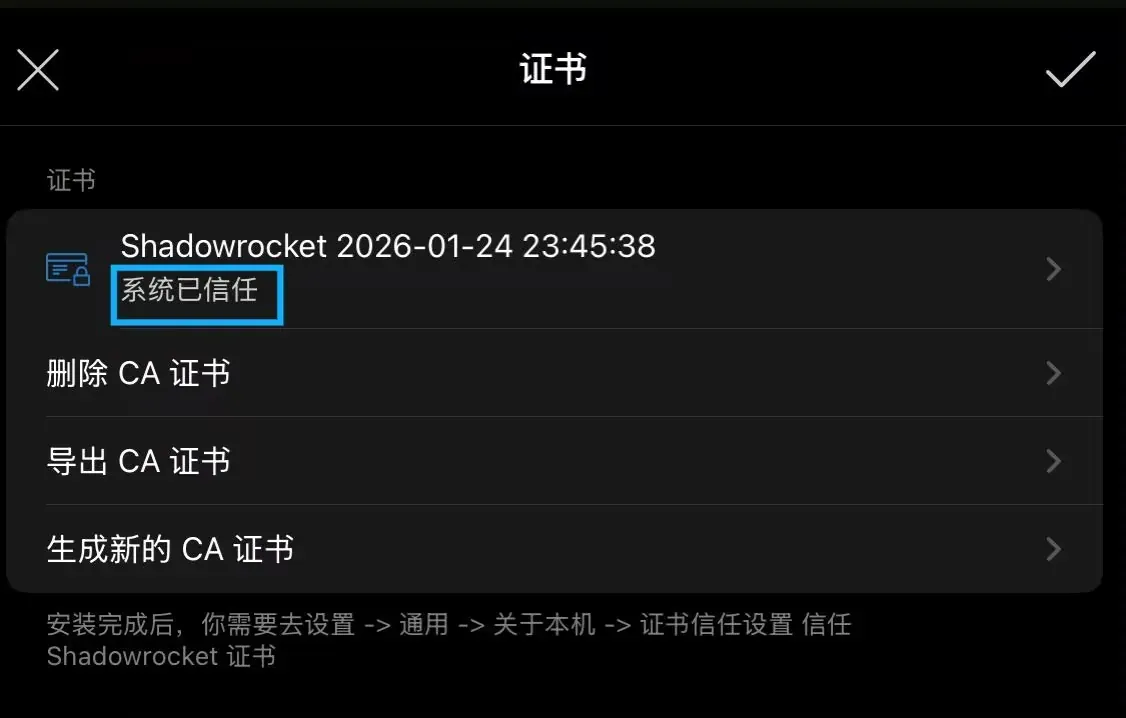
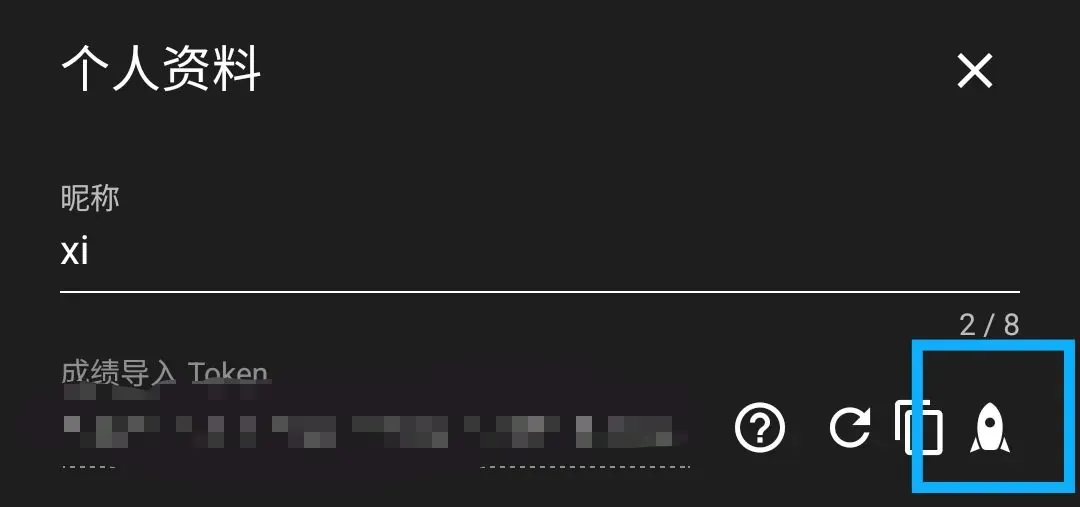
- Open the Shuiyu Score Tracker official site, tap the rocket icon, copy the module URL, and import it by following the steps below
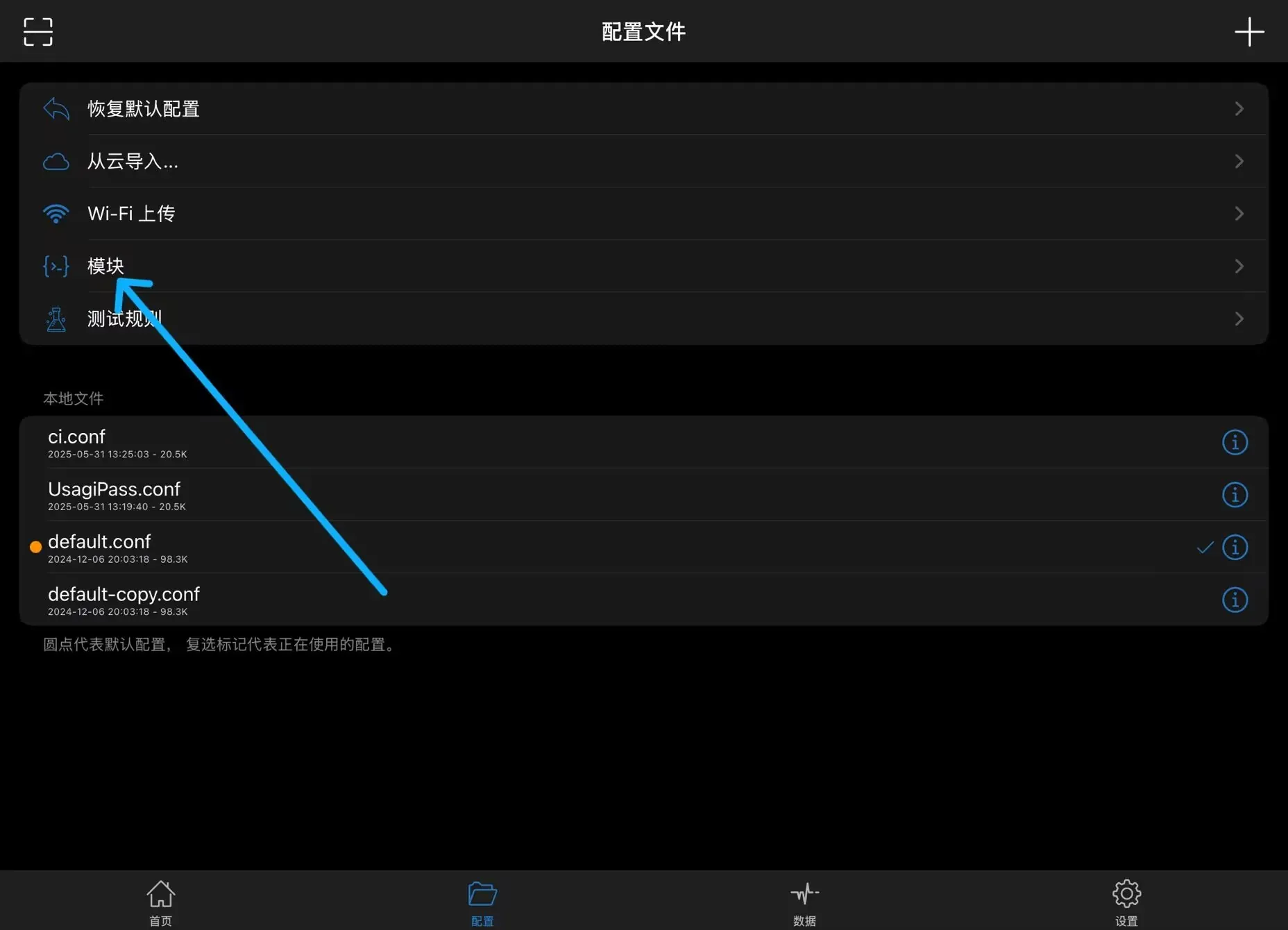
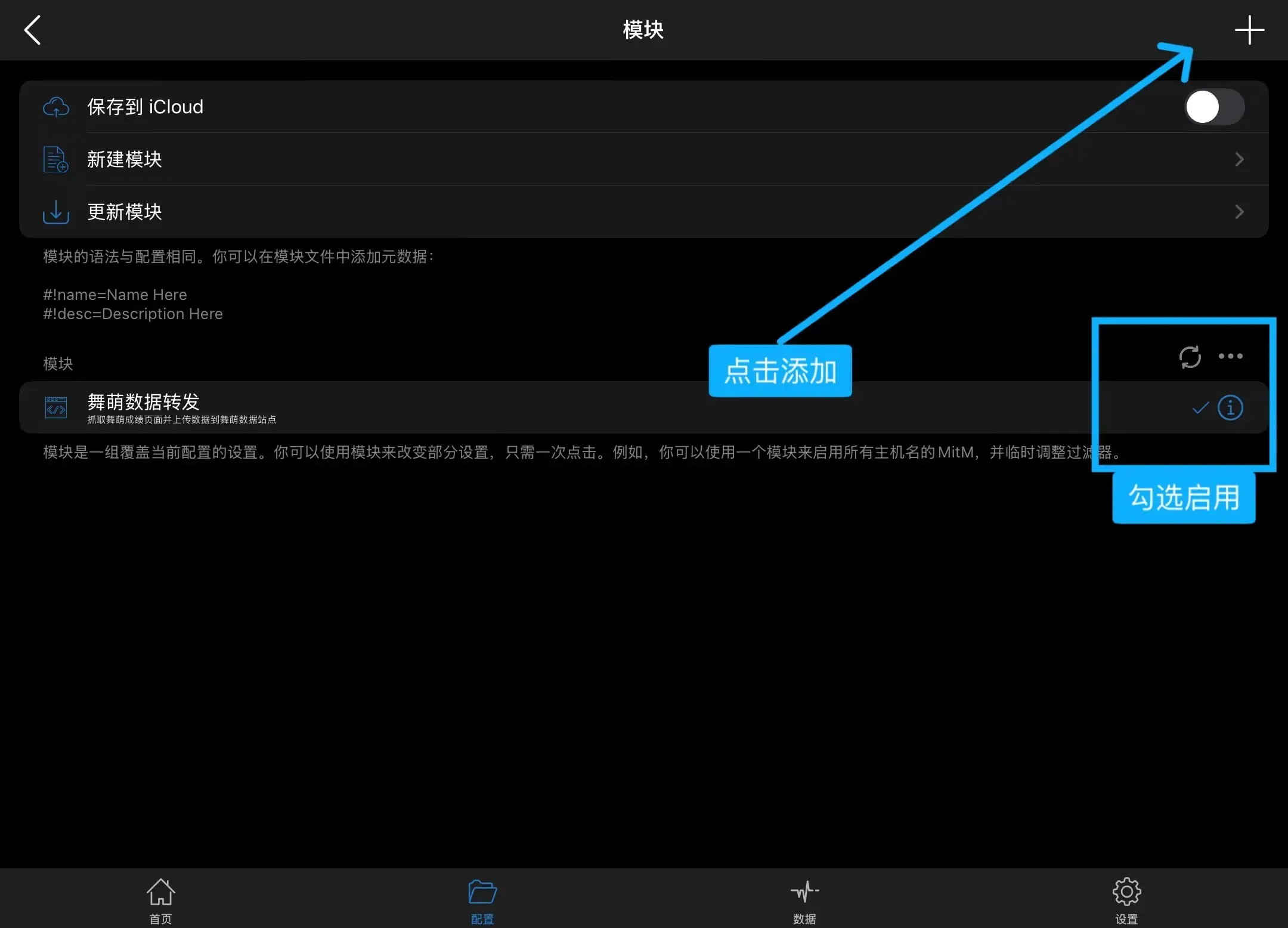
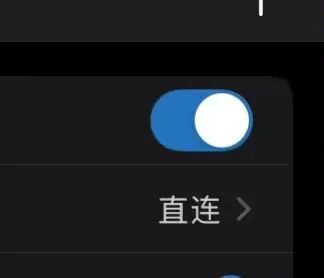
- Start the proxy
- Open the maimai NET official account and load songs in the order of the arrows to complete the sync

1.3 Syncing from LXNS to Shuiyu with union
A rather abstract solution, but it does save the day in a roundabout way
-
Have both a Shuiyu and an LXNS account, with the LXNS account already synced
-
Log in to the union site
-
In the top-right menu, select the
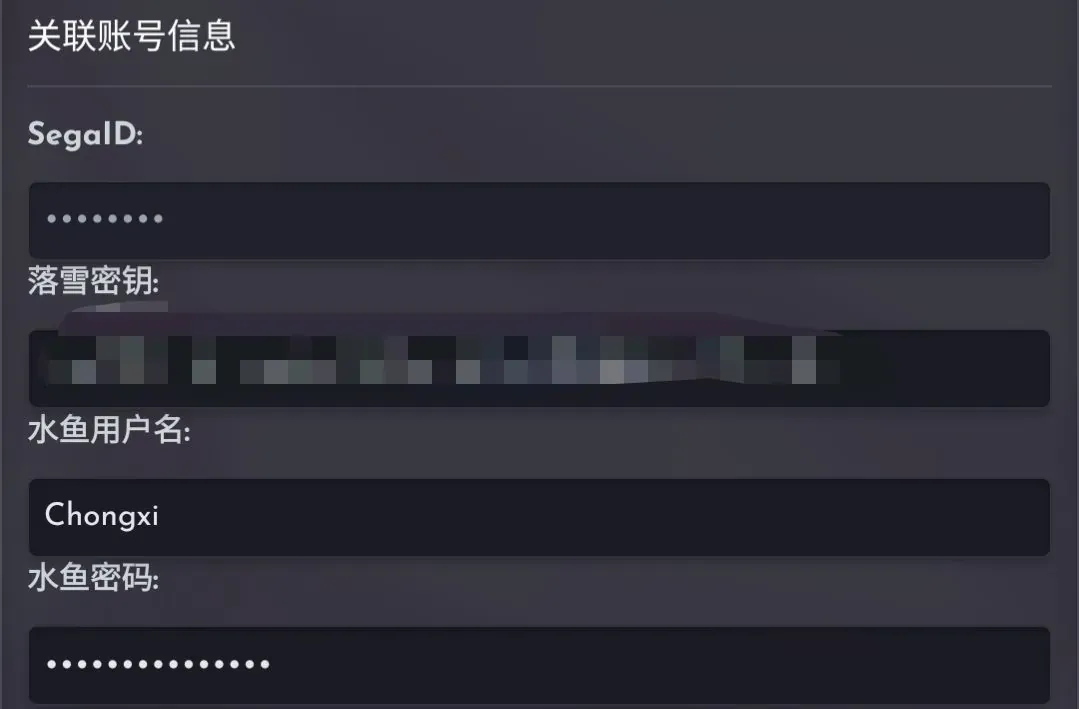
用户option and fill in your LXNS tracker token and Shuiyu account
You can get the LXNS tracker key under 账号详情 > 个人API密钥
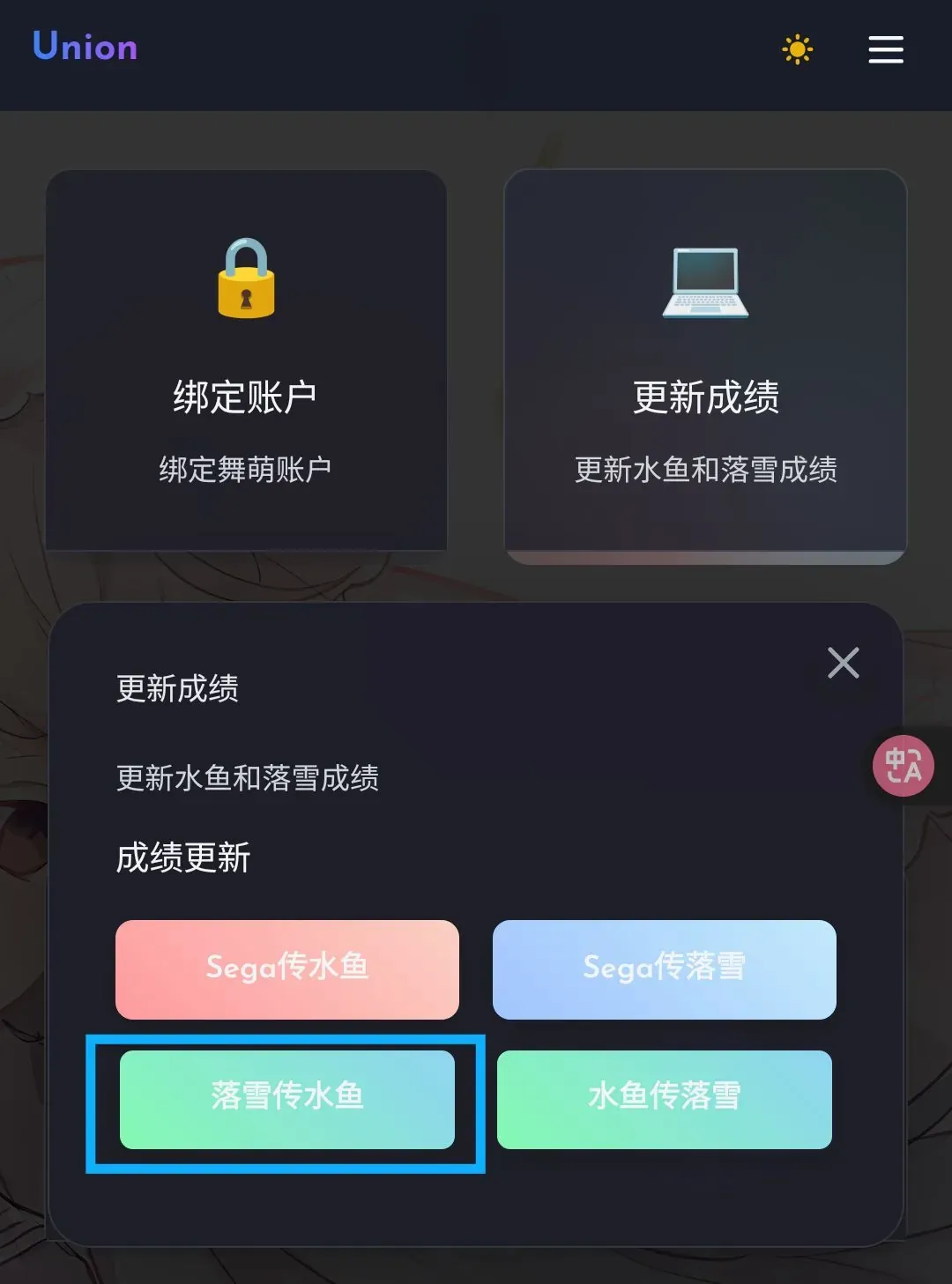
- In the top-right menu, select the
工具option, click 更新成绩, and choose 落雪传水鱼
If that’s the case, why not just use LXNS
1.4 Uploading with a bot that uses tech features
This method requires providing SGWCMAID, that is, your QR code. It’s not recommended: since the 1.53 update, the QR code is the only credential, so every feature that asks for the QR code carries risk. This article won’t provide any relevant channel; choose a tech tool you consider reliable to upload
2. LXNS Score Tracker
LXNS is much simpler; you only need to configure the proxy
Make sure you have an LXNS account
2.1 Using the proxy sync provided by LXNS
-
Log in to the LXNS official site, tap the top-left menu, and select
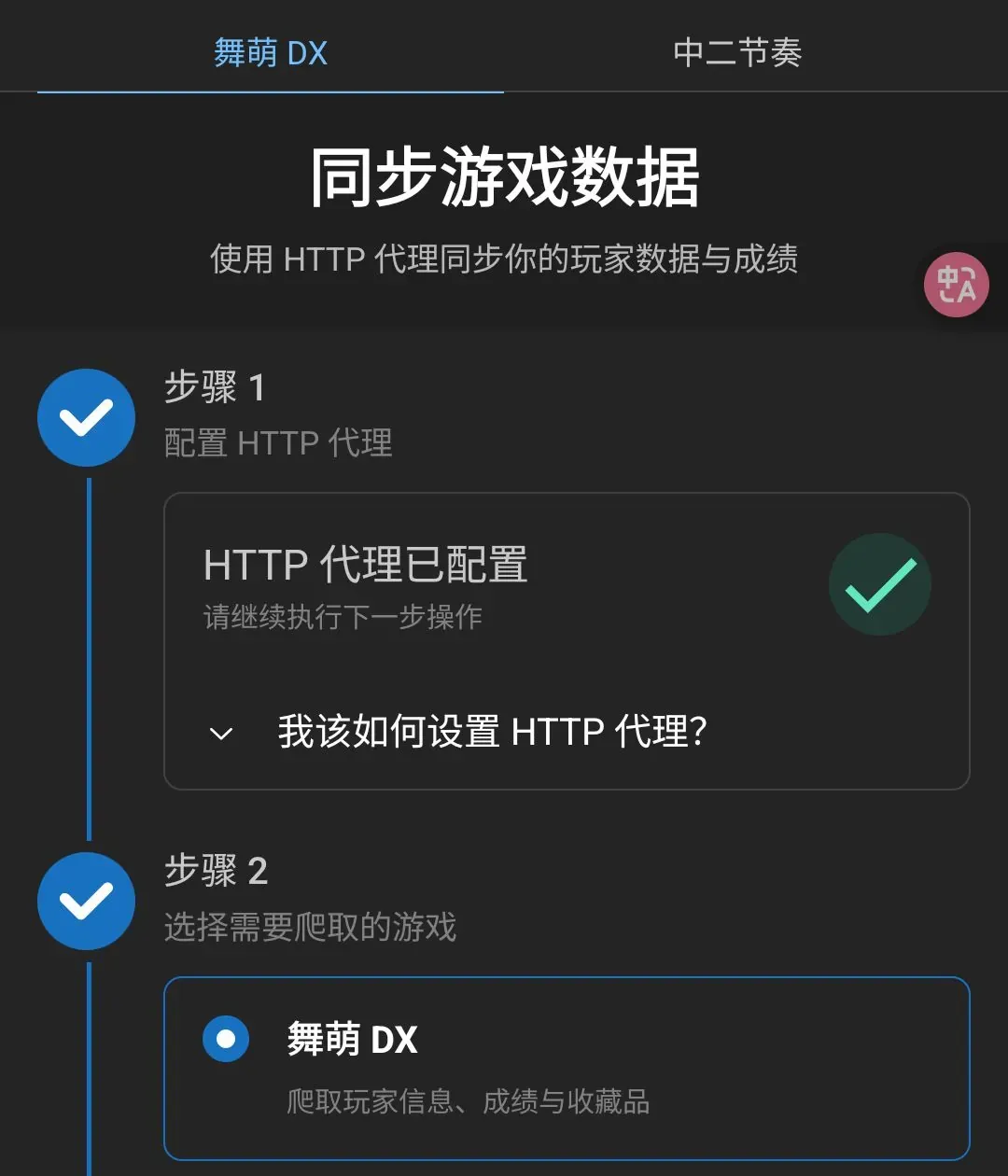
同步游戏数据 -
You can manually set up an HTTP proxy in your system’s WLAN settings; here we’ll mainly demonstrate configuring it with a proxy tool
TIPAndroid
Install Clash Meta; you can download the installer from Atlas Storage or the GitHub Repo
Copy
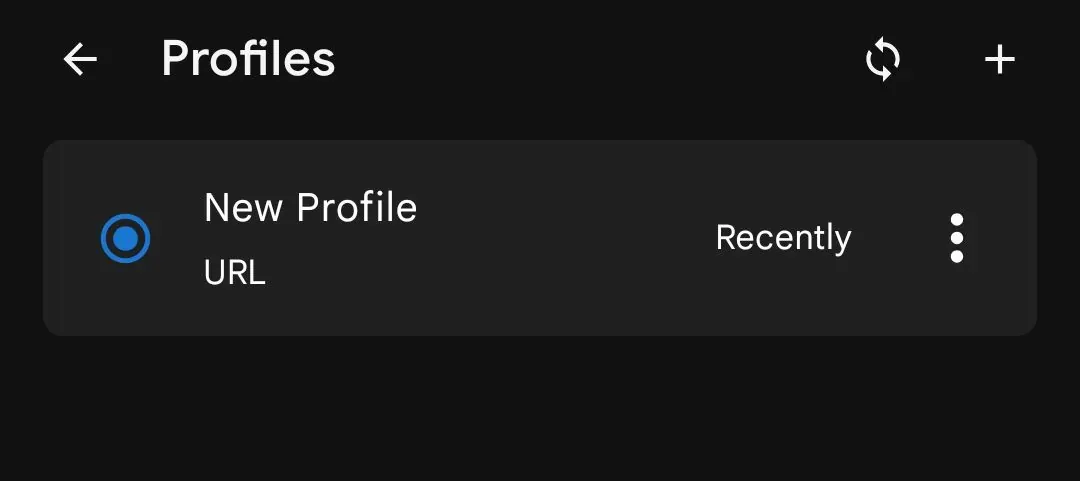
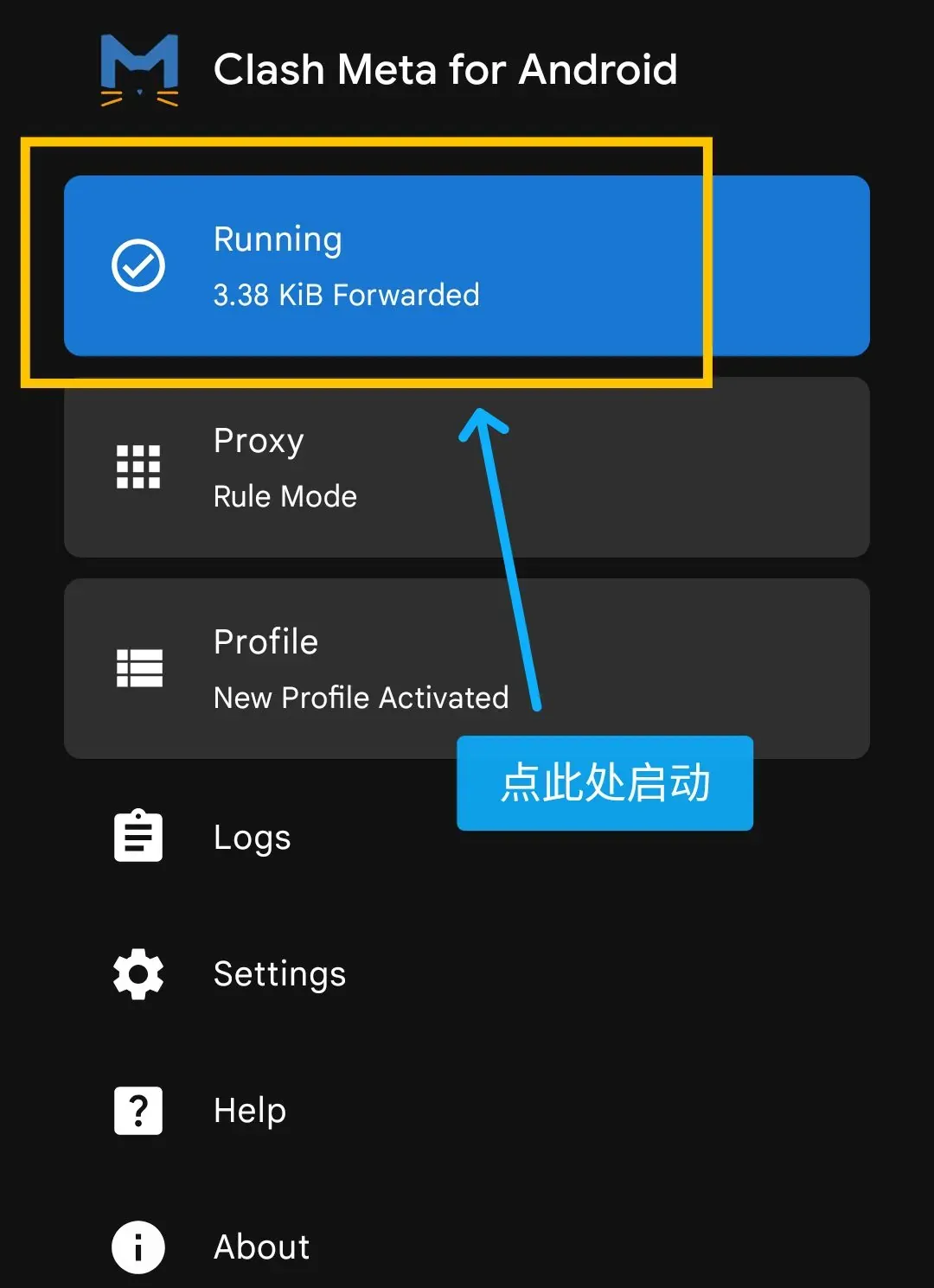
https://maimai.lxns.net/api/v0/proxy-config/clash, open Clash Meta, tap the 配置文件 button, and add the proxy configuration as shown in the screenshots
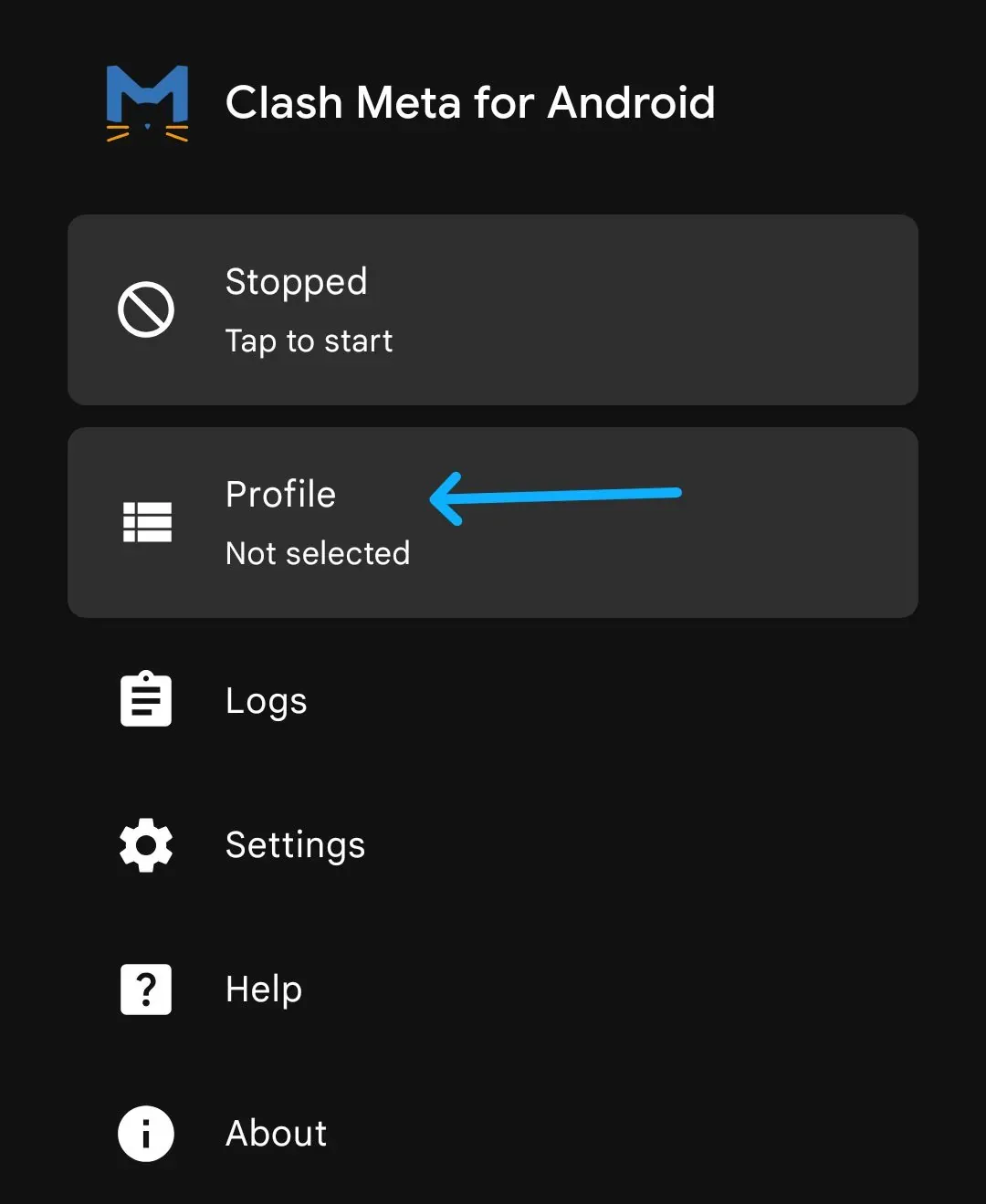
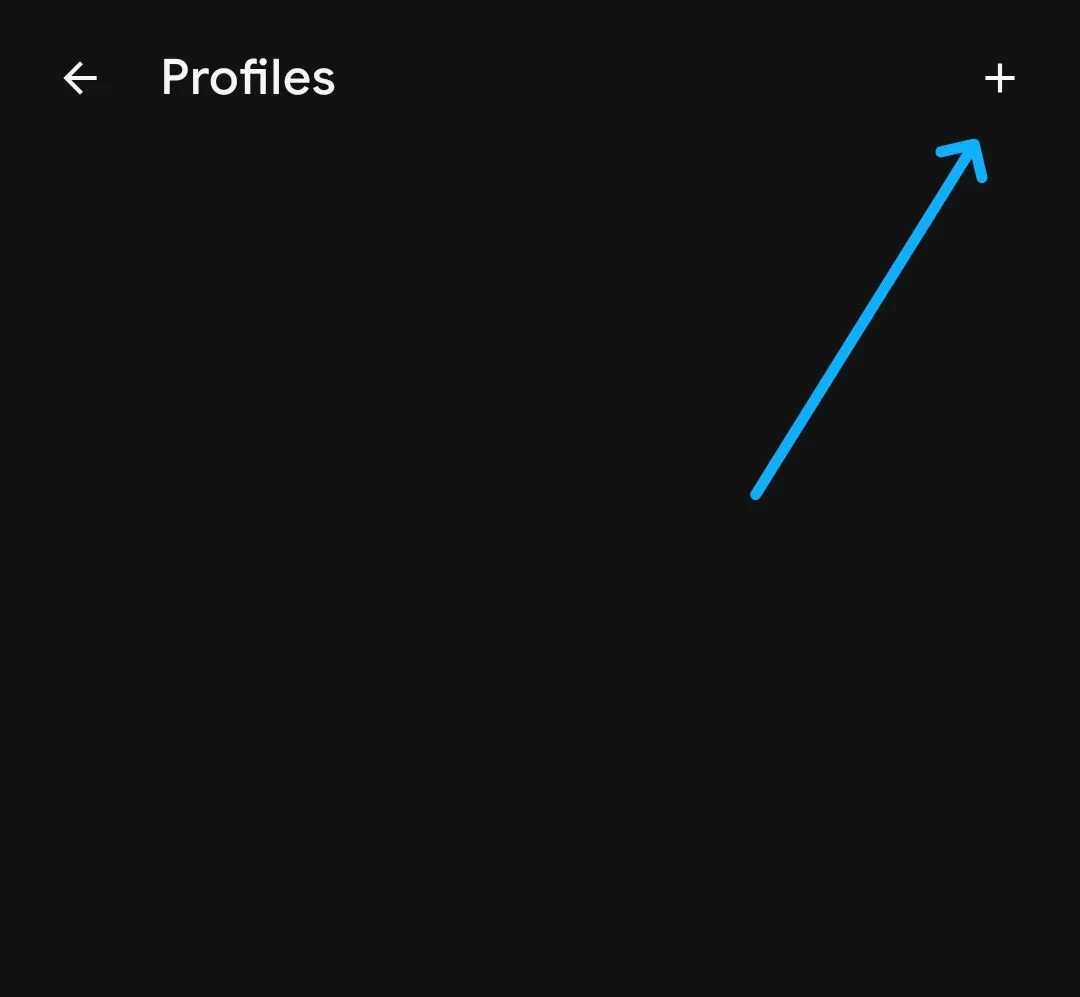
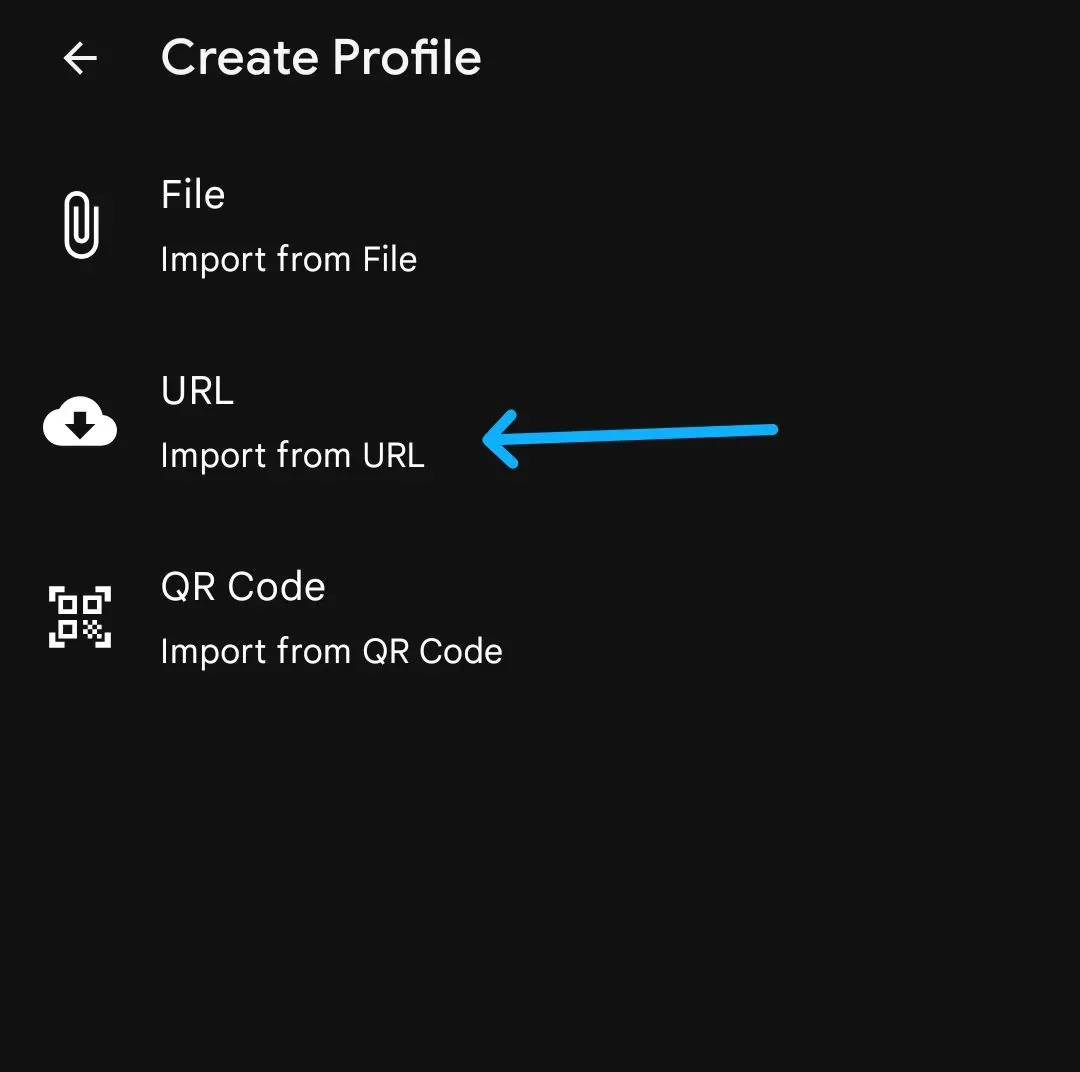
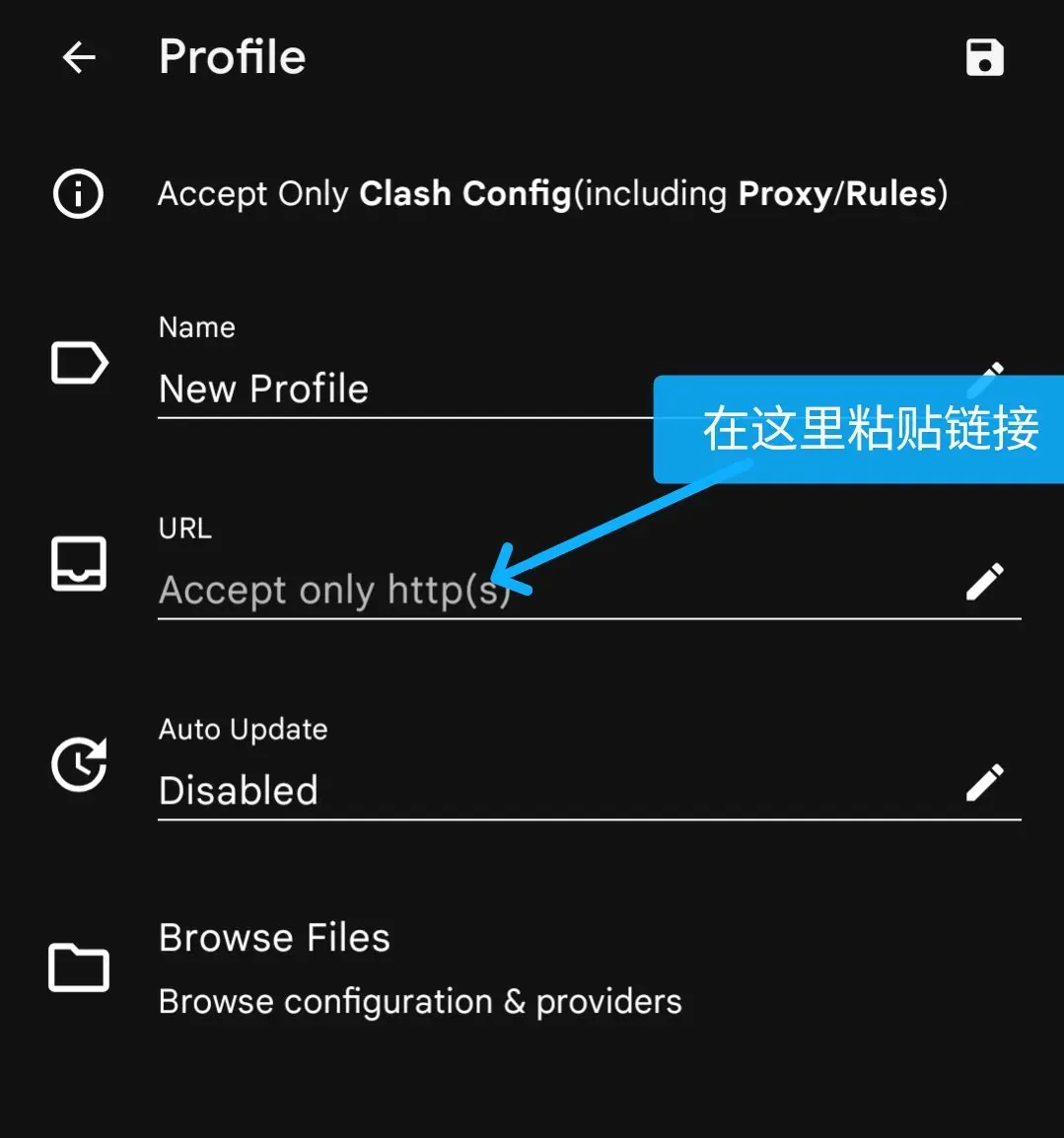
TIPiOS/iPadOS
Install Shadowrocket or another supported proxy tool
Tap
配置in the bottom bar, then tap the plus button in the top-right corner and paste the linkJust start it
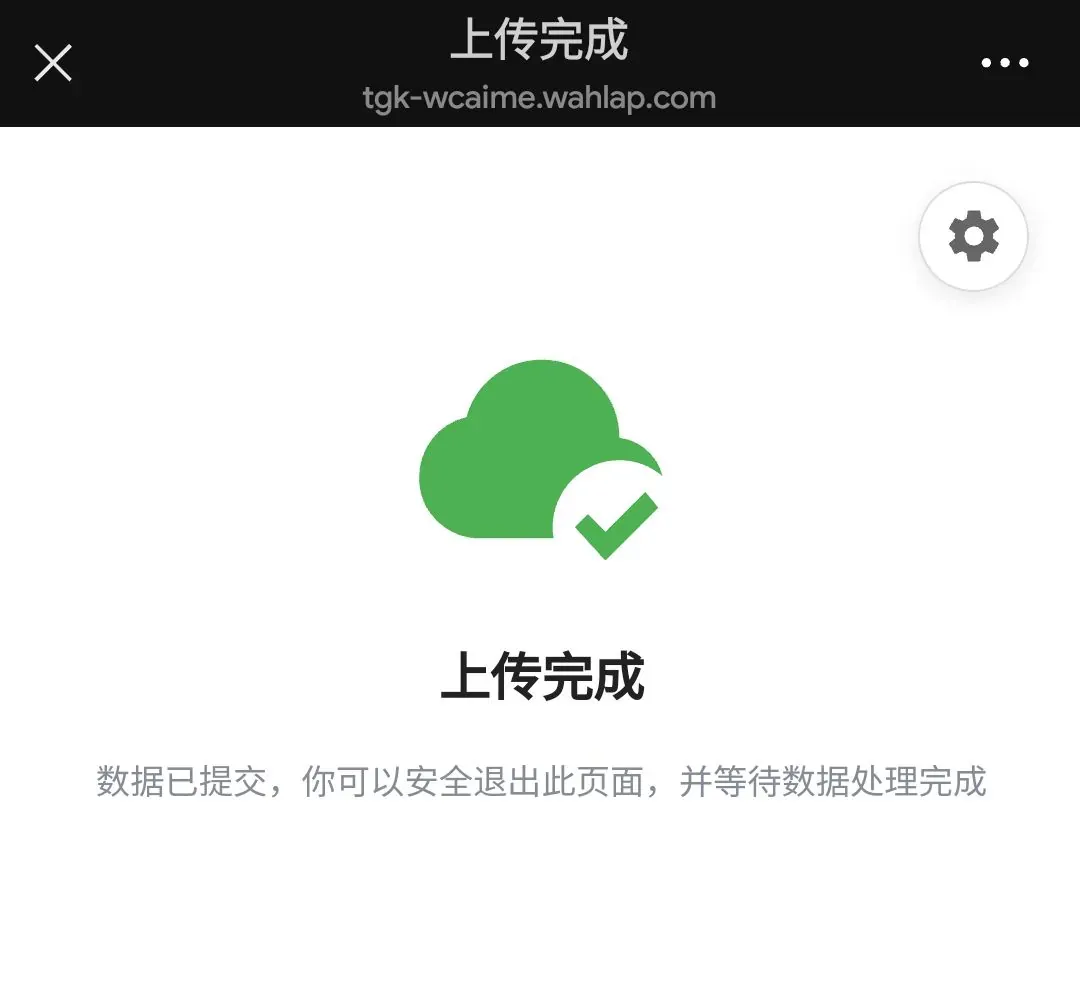
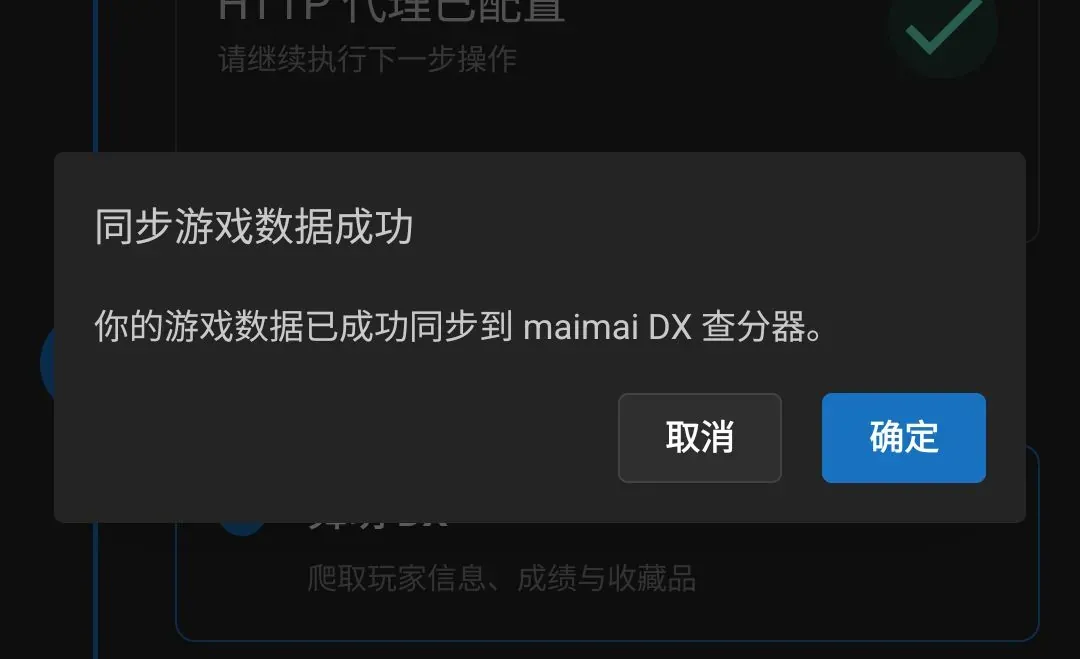
- Once the page shows that the proxy configuration succeeded, copy the sync link, open WeChat, find File Transfer or another trusted conversation, send and tap the link to complete the sync
3. Appendix
If you’re a developer, you can refer to bakapiano’s approach of pulling scores through friends for a non-invasive sync, though it may be more troublesome; this is only a small hint. If you know of more non-invasive sync methods, leave a comment below and this article will be updated
