
It’s been over a year since I got my PSBC Mastercard debit card, so let me briefly share my day-to-day experience with it
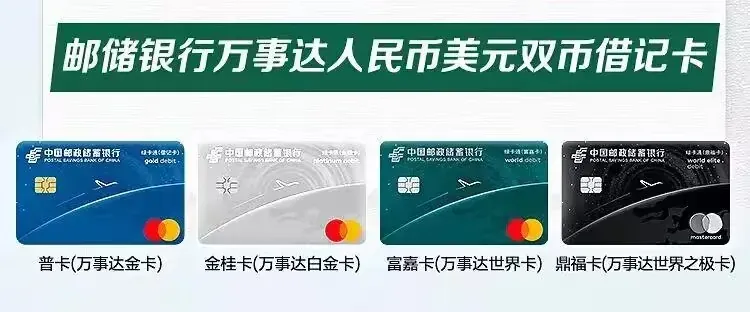
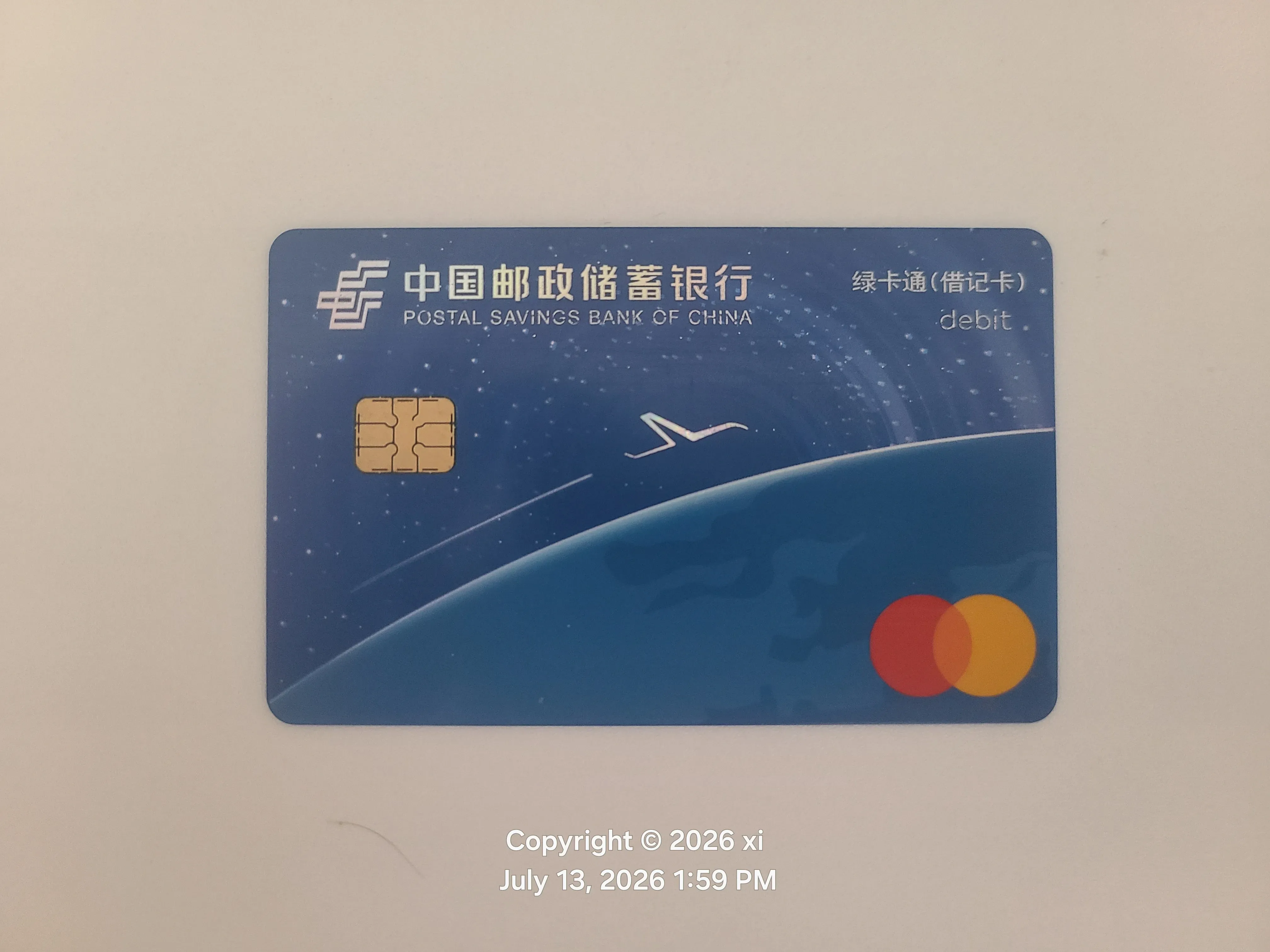
Card details
万事达世界之极借记卡, the new Mastercard NetsUnion version, dual-currency in RMB and USD with automatic currency conversion. The card bears the Mastercard logo; you deposit RMB and overseas transactions are automatically converted and settled in USD
- 普卡 = Mastercard Gold
- 金桂卡 = Mastercard Platinum
- 富嘉卡 = Mastercard World
- 鼎福卡 = Mastercard World Elite
PSBC classifies customers internally by tier (assets held at the bank over the last three months)
- 大众客户 < 100,000
- 金桂客户 100,000–500,000
- 富嘉客户 500,000–6,000,000
- 鼎福客户 > 6,000,000
This card can be used at any overseas location bearing the Mastercard logo (whether it gets declined is another matter)
This is a debit card, so you have to deposit money before you can spend
Hands-on experience
Google Pay overseas
First, Google Pay. GPay doesn’t seem to verify the card’s issuing region, so you can easily bind this card in the US region and spend in USD. I’ve seen people say there’s 3DS verification, but in fact when I paid, the money was charged straight away without any secondary confirmation. You should be careful about this — protect your card number and other sensitive information
Here’s the transaction record for a 17.66 USD purchase on dynadot via Google Pay, for reference — it was made with exactly this Mastercard debit card
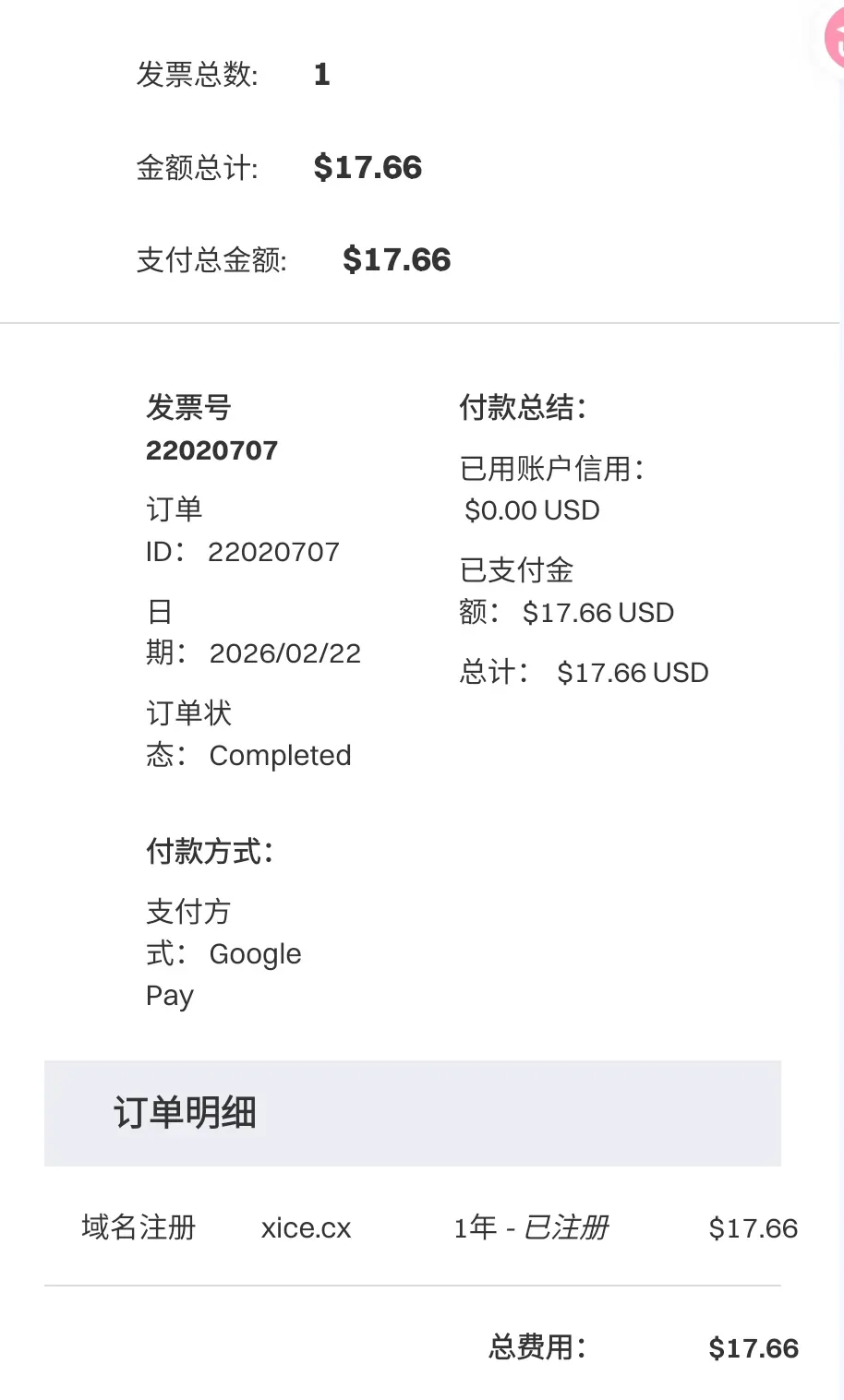
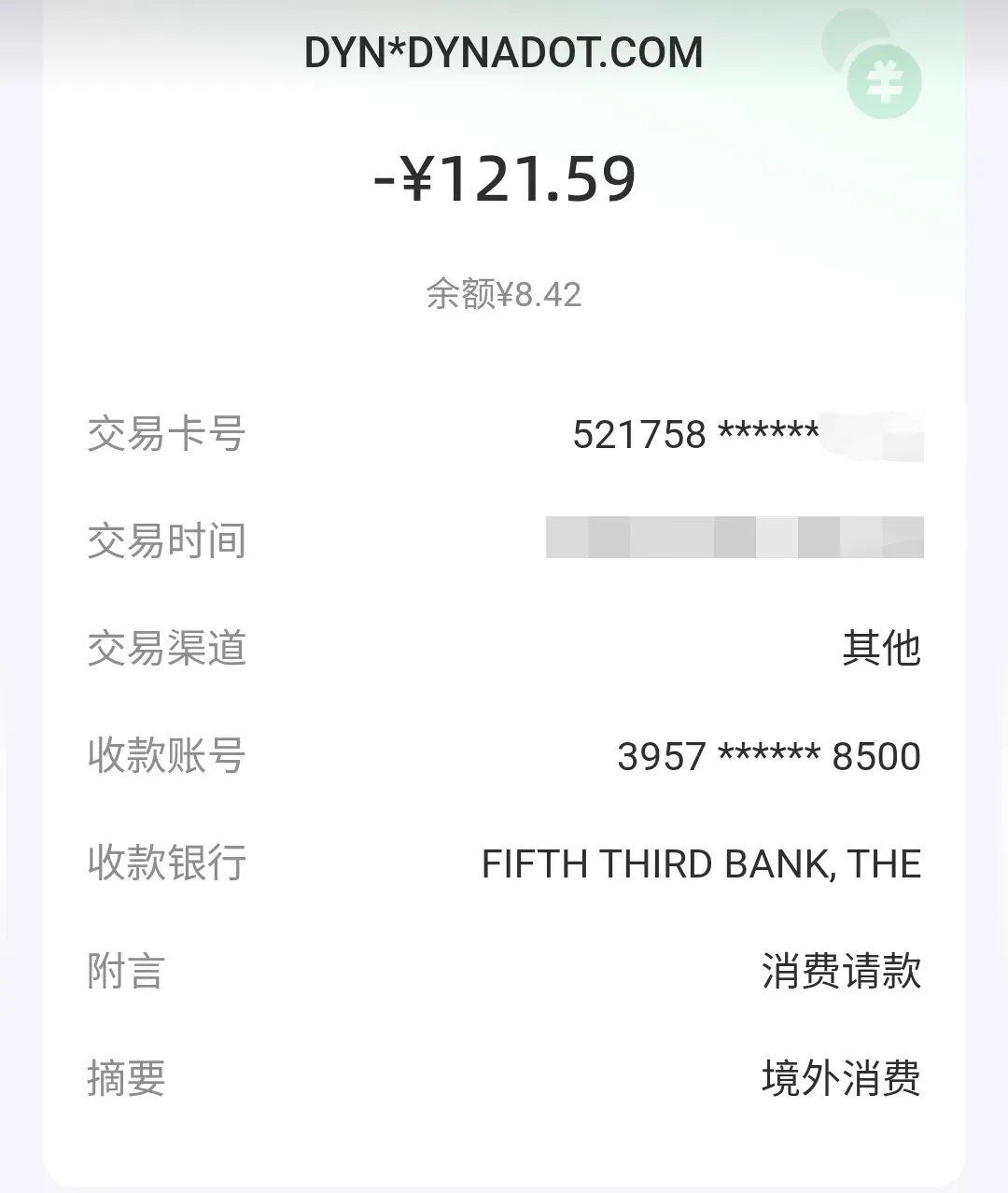
Although it settles in USD, the statement inside PSBC shows CNY; I’m not sure what the logic behind that is yet. When using it, I recommend depositing exactly as much as you need to pay — for example, if I needed to pay 120 CNY, I deposited 130 — to avoid unnecessary losses
Apple pay
The US-region App Store can’t bind this card as a USD payment method, because the App Store checks the issuing region, and this card is issued in mainland China, so it can’t be bound and will throw an error
As for the Apple Pay wallet, it should probably bind fine; Apple is very lax about that
Samsung Wallet
Binding isn’t supported. The China model only allows UnionPay; I haven’t tried the overseas version, but it most likely won’t work either
Steam
Same thing — it checks the issuing region, so this card can’t be used for binding
PayPal
Since my PayPal is in the UK region, I haven’t tried it; if any of you have, leave a note in the comments
Recommendations
Basically, anything that checks the issuing region won’t work. For everyday online spending you can go through Google Pay or PayPal (if it works). Once the card is bound to Google Pay, prioritize it wherever the merchant allows Google Pay (like my dynadot one) — it saves a lot of hassle
Offline payments
It depends. In Hong Kong and Macau I used it at McDonald’s last year without issue; I haven’t tried other places yet. Anyone with experience is welcome to add to this
Using it as an RMB savings card
No problem at all — it works perfectly well as an ordinary UnionPay card, and you can bind it to WeChat Pay, Alipay and so on. But since it isn’t UnionPay, you can’t bind it to 云闪付, and it can be upgraded to a Class I account.
There’s a funny story here, though: when I was handling business at a PSBC branch, the staff didn’t recognize this card, and only let me through after repeatedly confirming it wasn’t a forged fake card
Of course, unless necessary I don’t recommend getting only this card as your main one. For domestic use you’re better off having a fully functional UnionPay Class I account to avoid unnecessary trouble — after all, every extra overseas payment channel adds a risk surface. The “deposit exactly what you spend” advice above is the same idea
How to apply
To apply online, click this link: PSBC Mastercard debit card application. This is PSBC’s official website; inside it select 万事有礼, fill in your personal information, pay the card production fee, and the card will be issued. After you receive it, you need to activate it at a PSBC branch counter, following the normal debit card application process
As for applying in person, I applied online so I don’t know much; anyone with experience can comment
For users over 16 but under 18
I called customer service to ask about this for you. If you have proof of employment income, you can go activate it yourself; otherwise a parent has to take you to do it on your behalf, and mobile banking probably won’t work either. If you’re 18 or over, just go yourself
Conclusion
Overall it’s still worth getting one. The card production fee is the price of a cup of milk tea, the day-to-day experience is acceptable, and it covers overseas online spending in ordinary scenarios. Using it domestically as an ordinary UnionPay card doesn’t run into any major obstacles either. Decide based on your own situation — it’s a card that’s not outstanding but not especially terrible, and worth a try
A little rambling: the low barrier is arguably its biggest selling point. PSBC itself has probably also considered the limitation of the card being issued in mainland China; since the ceiling is capped anyway, better to lower the floor and make the cost of trying it lower. If it’s enough, keep using it; if not, you won’t lose much. For the bank, more customers isn’t a bad thing, and debit cards carry no bad-debt risk. Low barrier for the user, low risk for the bank — that’s probably why this card can exist at all: neither side has much to lose
